Hi all,
I was looking at tackling weekly challenge 240 when I ran into an issue stopping my iterative macro, I have attached my full workflow. I wanted my macro to stop once the my macro 'output' (not the iterative output) received some data. However, the way my macro was set up some data was still being passed to the iterative output causing the macro to keep iterating unnecessarily. I fixed this by appending some fields to check against (shown in the screen shot below).
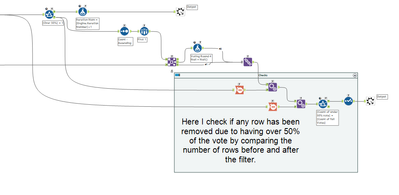
Is there a more efficient way of stopping the iteration? Any tips on how to structure iterative macros would be much appreciated. Would it make sense for iterative macros to have a tool/configuration to stop iteration based on a condition rather then stopping based on the number of rows in the 'iteration output'?
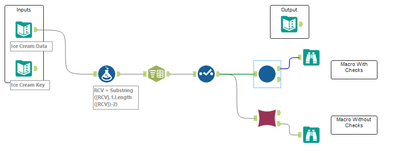
In the workflow I've included two versions of the macro one with my checks and one without to show the iteration issue.
One note on the task, with the number of iterations needed being unknown I don't think setting a maximum number of iterations makes sense in this scenario.


