I am running Alteryx Designer 2018.1.4.44311. One of the Gallery I connected to is in a different Windows domain then the one I log into so I will get the NTLM challenge prompt when starting designer or adding the Gallery from different domain.
After the NTLM prompt appears, whether I enter the credential or not. the UI for the Filter and Formula tools will appear to be locked.
Formula tool: I cannot type in the Formula tool and none of the UI elements work (i.e. cannot select data type or change the size)
Filter tool: I cannot change the Basic / Custom filter radio button. Nothing happens if I click on it.
So, whenever the prompt below appears. The Formula and Filter tools become read-only. Cannot be changed as if the UI is locked.
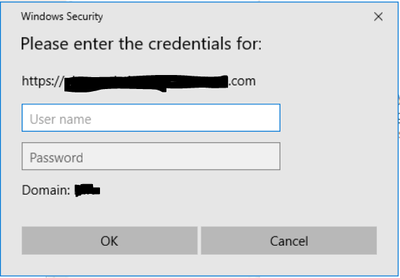
I don't have any issue with another gallery that is hosted in the same domain. The NTLM challenge prompt does not appear because it uses the same credential I logged into my laptop and the prompt is not needed.
Please help!! This is causing major usability with our user base!


