In case you missed the announcement: The Alteryx One Fall Release is here! Learn more about the new features and capabilities
here
ACT NOW: The Alteryx team will be retiring support for Community account recovery and Community email-change requests after December 31, 2025. Set up your security questions now so you can recover your account anytime, just log out and back in to get started.
Learn more here
Search
Close
Start Free Trial
Turn on suggestions
Auto-suggest helps you quickly narrow down your search results by suggesting possible matches as you type.
Showing results for
Weekly Challenges
Solve the challenge, share your solution and summit the ranks of our Community!Also available in | Français | Português | Español | 日本語
IDEAS WANTED
Want to get involved? We're always looking for ideas and content for Weekly Challenges.
SUBMIT YOUR IDEA- Community
- :
- Community
- :
- Learn
- :
- Academy
- :
- Challenges & Quests
- :
- Weekly Challenges
- :
- Re: Challenge #5: HR Position Finder Application
Challenge #5: HR Position Finder Application
Options
- Subscribe to RSS Feed
- Mark Topic as New
- Mark Topic as Read
- Float this Topic for Current User
- Bookmark
- Subscribe
- Mute
- Printer Friendly Page

spriya17
7 - Meteor
12-16-2019
12:43 PM
- Mark as New
- Bookmark
- Subscribe
- Mute
- Subscribe to RSS Feed
- Permalink
- Notify Moderator
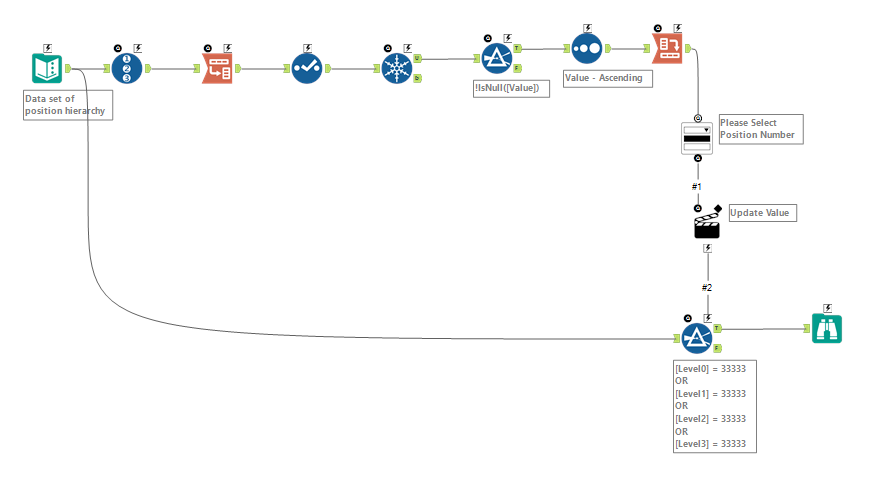
My first App!

Carlo_SKay
8 - Asteroid
12-17-2019
10:44 AM
- Mark as New
- Bookmark
- Subscribe
- Mute
- Subscribe to RSS Feed
- Permalink
- Notify Moderator

mccartycp
7 - Meteor
12-17-2019
12:44 PM
- Mark as New
- Bookmark
- Subscribe
- Mute
- Subscribe to RSS Feed
- Permalink
- Notify Moderator
Spoiler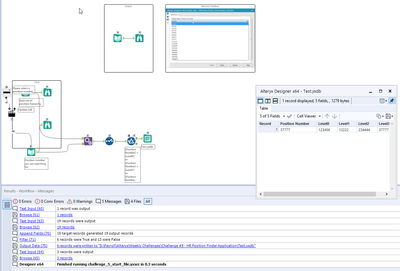
I'm not sure why, but the app only worked when I created an Alteryx output file.
I'm not sure why, but the app only worked when I created an Alteryx output file.

rmassambane
11 - Bolide
12-18-2019
08:54 AM
- Mark as New
- Bookmark
- Subscribe
- Mute
- Subscribe to RSS Feed
- Permalink
- Notify Moderator

AV8
8 - Asteroid
12-21-2019
11:33 AM
- Mark as New
- Bookmark
- Subscribe
- Mute
- Subscribe to RSS Feed
- Permalink
- Notify Moderator
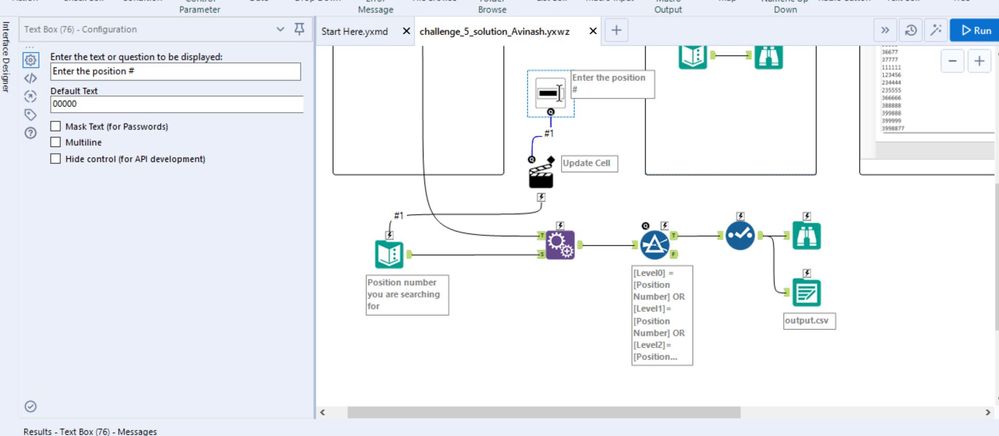

AlexC2
8 - Asteroid
12-22-2019
04:52 PM
- Mark as New
- Bookmark
- Subscribe
- Mute
- Subscribe to RSS Feed
- Permalink
- Notify Moderator

MitchKibble
7 - Meteor
12-23-2019
06:46 AM
- Mark as New
- Bookmark
- Subscribe
- Mute
- Subscribe to RSS Feed
- Permalink
- Notify Moderator

Ronald_Do
7 - Meteor
12-31-2019
12:19 PM
- Mark as New
- Bookmark
- Subscribe
- Mute
- Subscribe to RSS Feed
- Permalink
- Notify Moderator
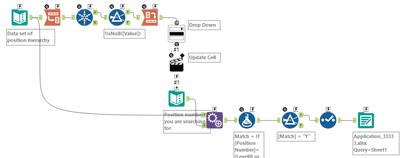
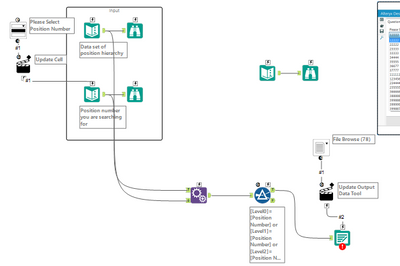
I don't think its the most efficient way but success none the less!

Hjardine
8 - Asteroid
12-31-2019
01:09 PM
- Mark as New
- Bookmark
- Subscribe
- Mute
- Subscribe to RSS Feed
- Permalink
- Notify Moderator
Spoiler
i added a record ID column, transposed data into one column, join tool for other input, join again on record ID to un-tranpose the data. for the macro, i used a text box macro
i added a record ID column, transposed data into one column, join tool for other input, join again on record ID to un-tranpose the data. for the macro, i used a text box macro

JonathanW
8 - Asteroid
01-05-2020
03:58 PM
- Mark as New
- Bookmark
- Subscribe
- Mute
- Subscribe to RSS Feed
- Permalink
- Notify Moderator

Labels
-
Advanced
299 -
Apps
26 -
Basic
158 -
Calgary
1 -
Core
157 -
Data Analysis
185 -
Data Cleansing
5 -
Data Investigation
7 -
Data Parsing
14 -
Data Preparation
237 -
Developer
35 -
Difficult
86 -
Expert
16 -
Foundation
13 -
Interface
39 -
Intermediate
266 -
Join
211 -
Macros
61 -
Parse
141 -
Predictive
20 -
Predictive Analysis
14 -
Preparation
272 -
Reporting
55 -
Reporting and Visualization
16 -
Spatial
60 -
Spatial Analysis
52 -
Time Series
1 -
Transform
226
- « Previous
- Next »
