General Discussions
Discuss any topics that are not product-specific here.- Community
- :
- Community
- :
- Participate
- :
- Discussions
- :
- General
- :
- Re: Advent of Code 2020 - BaseA Style (Day 12)
Advent of Code 2020 - BaseA Style (Day 12)
- RSS フィードを購読する
- トピックを新着としてマーク
- トピックを既読としてマーク
- このトピックを現在のユーザーにフロートします
- ブックマーク
- 購読
- ミュート
- 印刷用ページ

 Jean-Balteryx
- 新着としてマーク
- ブックマーク
- 購読
- ミュート
- RSS フィードを購読する
- ハイライト
- 印刷
- モデレーターに通知する
Discussion thread for day 12 of the Advent of Code : https://adventofcode.com/2020/day/12
- ラベル:
-
Advent of Code

 jdunkerley79
- 新着としてマーク
- ブックマーク
- 購読
- ミュート
- RSS フィードを購読する
- ハイライト
- 印刷
- モデレーターに通知する
I probably should have gone spatial but kept it simple
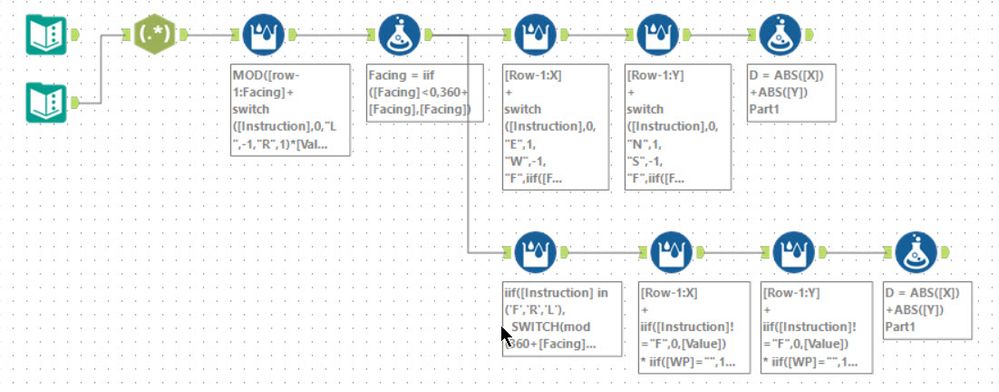
Lots of multi-row tools...
- Worked out and normalised the facing angle (so 0 for East, 90 for South, etc...)
- Tracked X and Y separately as easiest
- For WP should have treated as spatial but kept as string instead
 AkimasaKajitani
- 新着としてマーク
- ブックマーク
- 購読
- ミュート
- RSS フィードを購読する
- ハイライト
- 印刷
- モデレーターに通知する
Day12!
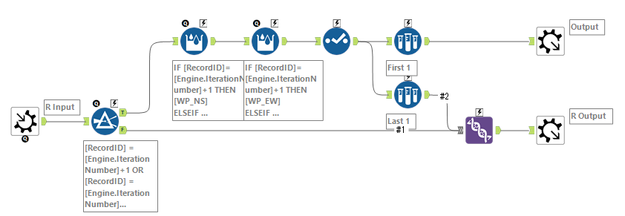
Part 1 is simple. I mainly use the Multi-row formula at both part.
But I think it was a mild problem compared to the last few days.
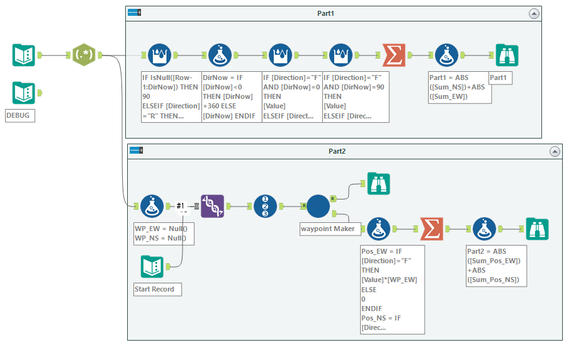
Part 2 Iterative Macro :
AS anonymous user #1105310

- 新着としてマーク
- ブックマーク
- 購読
- ミュート
- RSS フィードを購読する
- ハイライト
- 印刷
- モデレーターに通知する
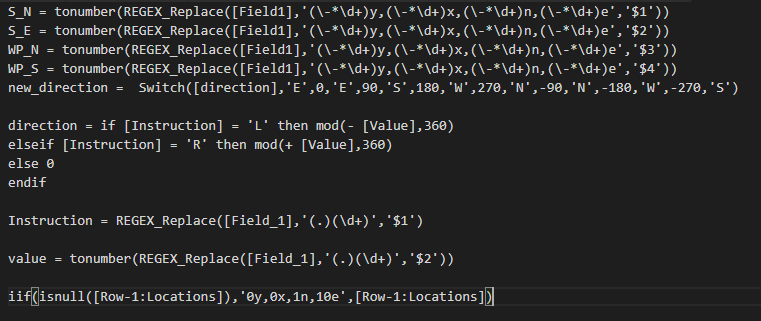
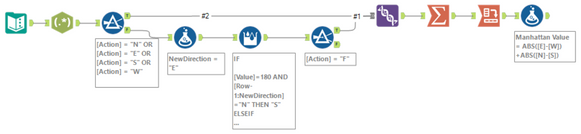
First foray into "let's use multirow tools instead of macro" world. It was fun, although maybe a bit out of control for part II
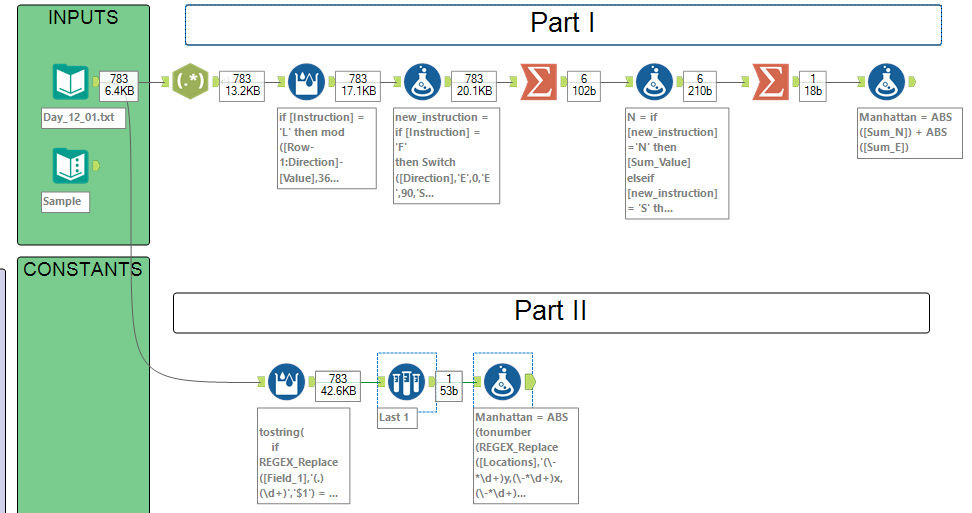
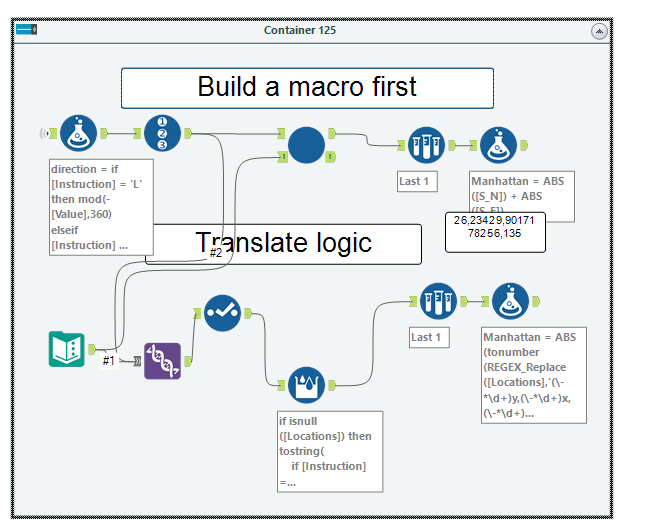
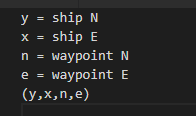
with the use of these helpers to do find/replace like a mad man
 patrick_digan
- 新着としてマーク
- ブックマーク
- 購読
- ミュート
- RSS フィードを購読する
- ハイライト
- 印刷
- モデレーターに通知する
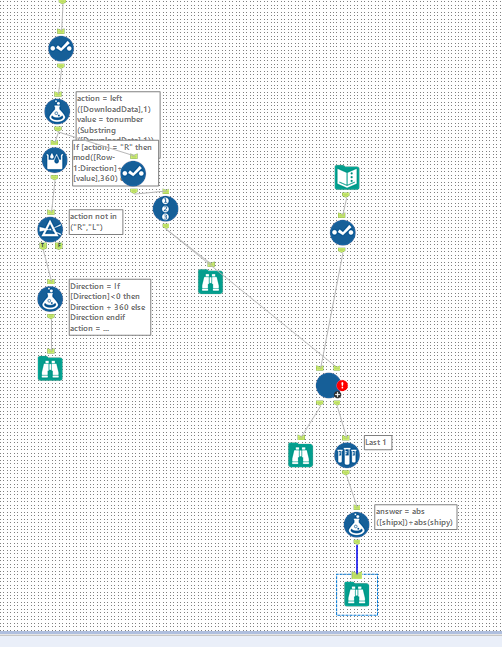
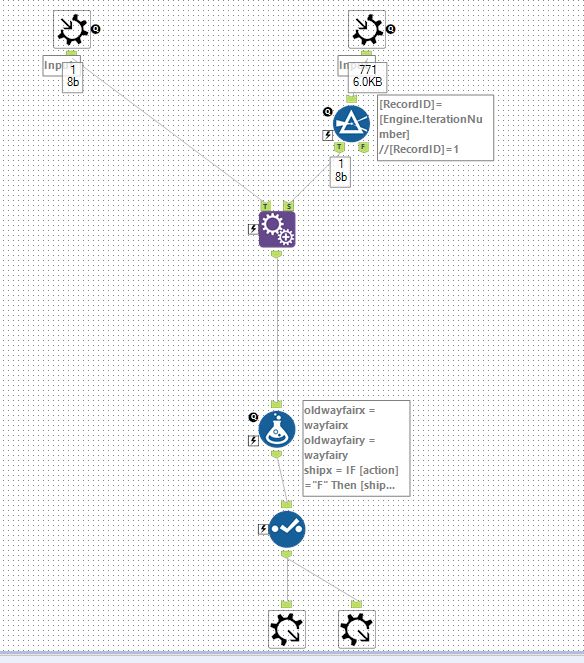
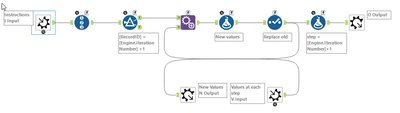
Macro for part 2:

- 新着としてマーク
- ブックマーク
- 購読
- ミュート
- RSS フィードを購読する
- ハイライト
- 印刷
- モデレーターに通知する



- 新着としてマーク
- ブックマーク
- 購読
- ミュート
- RSS フィードを購読する
- ハイライト
- 印刷
- モデレーターに通知する
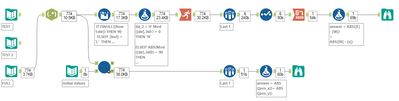
my submission to the golf overlords
They'd also look a lot neater in a language with implicit type conversion, there are ToString() and ToNumber(GetWord()) functions everywhere.
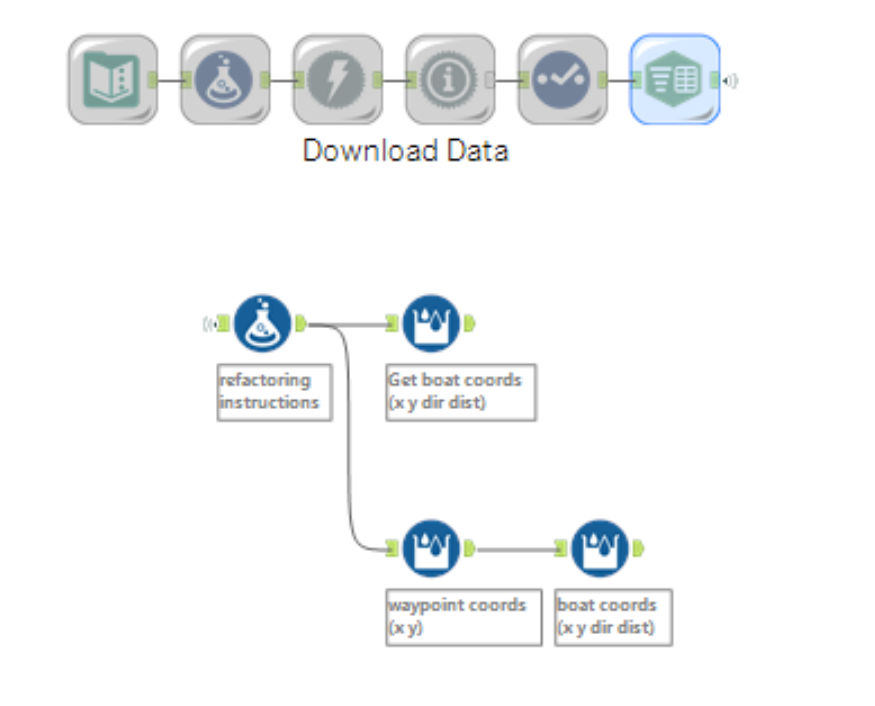
Edit: Oh I could definitely smush the two multi-rows in part 2 into 1 multi-row as they're both of the same Switch([instr],...) function and use a coord format "wx wy bx by dir dist" but I'll leave that as an exercise to the reader.

- 新着としてマーク
- ブックマーク
- 購読
- ミュート
- RSS フィードを購読する
- ハイライト
- 印刷
- モデレーターに通知する
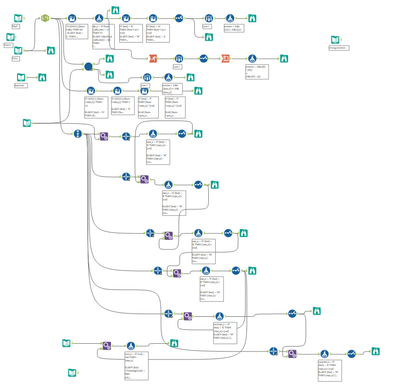
Got in a right pickle with that but had a nice solution in the end.
Trusty iterative! Tried multirow but it gives me a headache 😄
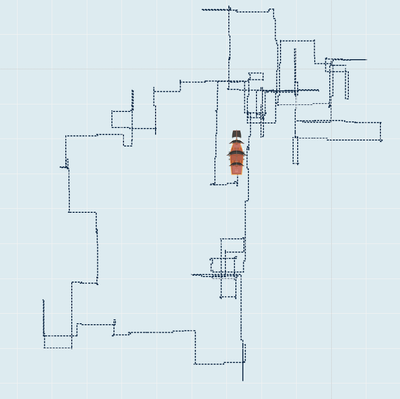
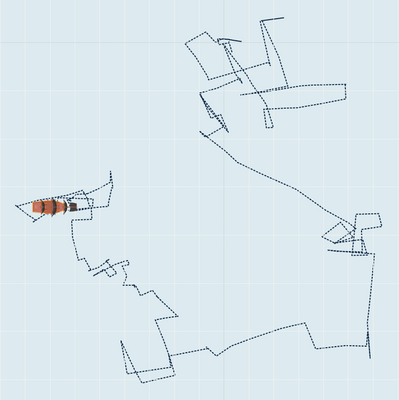
Had fun with animating the routes though!
- 新着としてマーク
- ブックマーク
- 購読
- ミュート
- RSS フィードを購読する
- ハイライト
- 印刷
- モデレーターに通知する
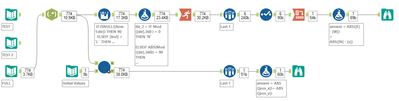
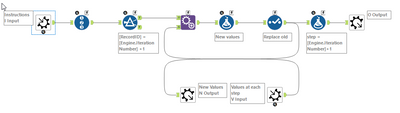
A simple solution after getting into a bit of a mess on this one...
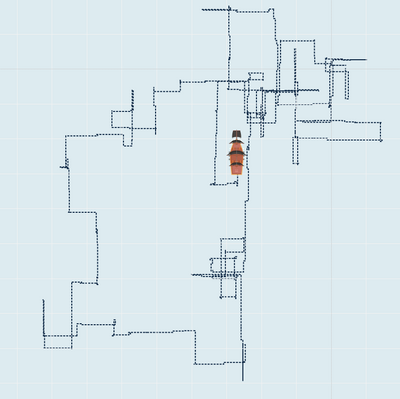
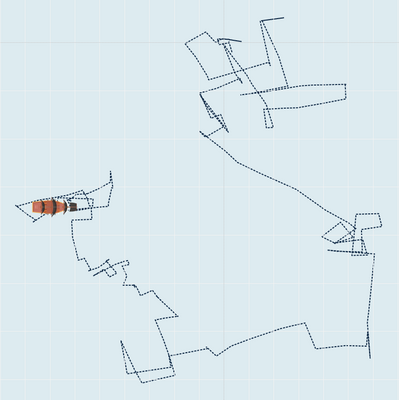
I'm also enjoying animating the results!
- 新着としてマーク
- ブックマーク
- 購読
- ミュート
- RSS フィードを購読する
- ハイライト
- 印刷
- モデレーターに通知する
Iterative for me! Got in a pickle to start with but got there in the end 🙂
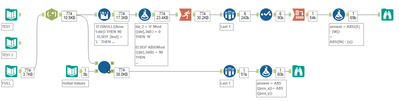
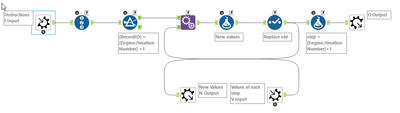
Enjoying animating the results too..!
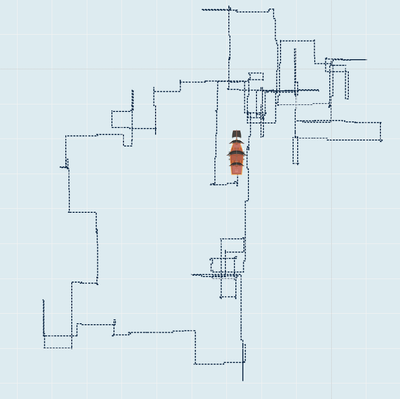
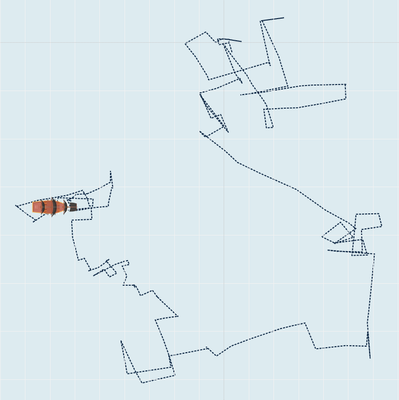
https://public.tableau.com/profile/petergb#!/vizhome/12_2_16077851001790/Route2


-
.Next
1 -
2020.4
1 -
AAH
3 -
AAH Welcome
8 -
ABB
1 -
Academy
223 -
ADAPT
9 -
ADAPT Program
1 -
Admin
1 -
Administration
2 -
Advent of Code
135 -
AHH
1 -
ALTER.NEXT
1 -
Alteryx Editions
5 -
Alteryx Practice
442 -
Analytic Apps
6 -
Analytic Hub
2 -
Analytics Hub
4 -
Analyzer
1 -
Announcement
73 -
Announcements
25 -
API
3 -
App Builder
9 -
Apps
1 -
Authentication
3 -
Automation
1 -
Automotive
1 -
Banking
1 -
Basic Creator
5 -
Best Practices
3 -
BI + Analytics + Data Science
1 -
Bugs & Issues
1 -
Calgary
1 -
CASS
1 -
CData
1 -
Certification
270 -
Chained App
2 -
Clients
3 -
Common Use Cases
3 -
Community
819 -
Computer Vision
1 -
Configuration
1 -
Connect
1 -
Connecting
1 -
Content Management
4 -
Contest
50 -
Contests
1 -
Conversation Starter
159 -
COVID-19
15 -
Data
1 -
Data Analyse
2 -
Data Analyst
1 -
Data Challenge
189 -
Data Connection
1 -
Data Investigation
1 -
Data Science
102 -
Database Connection
1 -
Database Connections
3 -
Datasets
3 -
Date type
1 -
Designer
1 -
Designer Integration
4 -
Developer
5 -
Developer Tools
2 -
Directory
1 -
Documentation
1 -
Download
3 -
download tool
1 -
Dynamic Input
1 -
Dynamic Processing
1 -
dynamically create tables for input files
1 -
Email
2 -
employment
1 -
employment opportunites
1 -
Engine
1 -
Enhancement
1 -
Enhancements
2 -
Enterprise (Edition)
2 -
Error Messages
3 -
Event
1 -
Events
111 -
Excel
1 -
Feedback
2 -
File Browse
1 -
Financial Services
1 -
Full Creator
2 -
Fun
157 -
Gallery
2 -
General
23 -
General Suggestion
1 -
Guidelines
13 -
Help
72 -
hub
2 -
hub upgrade 2021.1
1 -
Input
1 -
Install
2 -
Installation
4 -
interactive charts
1 -
Introduction
25 -
jobs
2 -
Licensing
3 -
Machine Learning
2 -
Macros
3 -
Make app private
1 -
Marketplace
8 -
Maveryx Chatter
12 -
meeting
1 -
migrate data
1 -
Networking
1 -
New comer
1 -
New user
1 -
News
26 -
ODBC
1 -
Off-Topic
125 -
Online demo
1 -
Output
2 -
PowerBi
1 -
Predictive Analysis
1 -
Preparation
3 -
Product Feedback
1 -
Professional (Edition)
2 -
Project Euler
22 -
Public Gallery
1 -
Question
1 -
queued
1 -
R
1 -
Reporting
1 -
reporting tools
1 -
Requirements
1 -
Resource
117 -
resume
1 -
Run Workflows
10 -
Salesforce
1 -
Santalytics
9 -
Schedule Workflows
6 -
Search Feedback
76 -
Server
2 -
Settings
2 -
Setup & Configuration
5 -
Sharepoint
2 -
Starter (Edition)
2 -
survey
1 -
System Administration
4 -
Tax & Audit
1 -
text translator
1 -
Thursday Thought
57 -
Tips and Tricks
6 -
Tips on how to study for the core certification exam
1 -
Topic of Interest
167 -
Udacity
2 -
User Interface
2 -
User Management
5 -
Workflow
4 -
Workflows
1
- « 前へ
- 次へ »

