In case you missed the announcement: The Alteryx One Fall Release is here! Learn more about the new features and capabilities here
ACT NOW: The Alteryx team will be retiring support for Community account recovery and Community email-change requests after December 31, 2025. Set up your security questions now so you can recover your account anytime, just log out and back in to get started. Learn more here
Start Free Trial

Alteryx Designer Desktop Discussions

Find answers, ask questions, and share expertise about Alteryx Designer Desktop and Intelligence Suite.
SOLVED

Macro Text Input - Column Rename

IJReed
8 - Asteroid

Hi Alteryx Community!


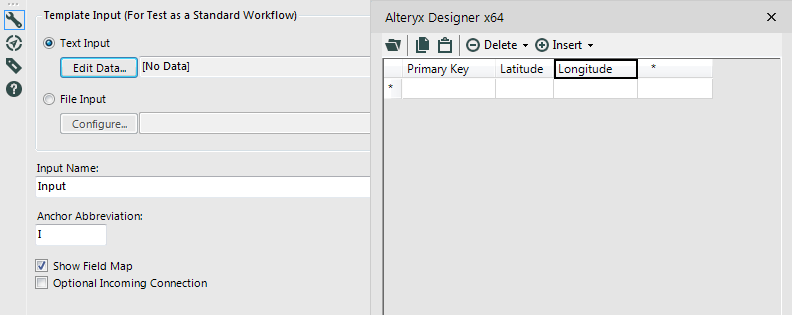
I am new to creating macros and am running into some trouble. I am using a a "Text Input" in the Macro Input tool. The Macro is asking the user to choose:


1)     Primary Key Field

2)     Latitude Field

3)     Longitude Field


Macro Input Configuration.PNG


As expected, the Macro's output keeps the name of these three fields as "Primary Key", "Latitude", and "Longitude". However, I would like the Primary Key field to be renamed to whatever the user selects to use as their primary field (rather than the output simply calling that column Primary Key)


For example, if the user selects Store, City, or SiteNumber as the Primary Key input.... then the output should also be Store, City, or SiteNumber (rather than it defaulting back to being called "Primary Key")


Thanks!

10 REPLIES 10
Hiblet
11 - Bolide

That was a really helpful tip - I could not figure out why my macro was renaming columns, and this action tool sorted it out.  Thanks!

Labels
Top Solution Authors