In case you missed the announcement: The Alteryx One Fall Release is here! Learn more about the new features and capabilities here
ACT NOW: The Alteryx team will be retiring support for Community account recovery and Community email-change requests Early 2026. Make sure to check your account preferences in my.alteryx.com to make sure you have filled out your security questions. Learn more here
Start Free Trial

General Discussions

Discuss any topics that are not product-specific here.

Write dynamic output to a formatted excel file

Jerlyn05
6 - Meteoroid

Hi everyone,


Is there a way to write my dynamic output to a formatted excel file? There are columns that are dynamic and I just want to adjust the formatted template based on my dynamic output.


Below is my alteryx output with fields NP_REL_1_ECI all the way to NP_REL_7_ECI. 

Jerlyn05_0-1752501815906.png

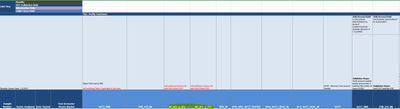
 I want to be able to insert these additional fields to the formatted excel file and just move the rest of the fields automatically since the template normally includes fields NP_REL_1_ECI and NP_REL_2_ECI only. I hope there's a way to do it.
Jerlyn05_1-1752501913981.png


2 REPLIES 2
Jerlyn05
6 - Meteoroid

When you say "adjust the Excel template to account for the maximum number of dynamic columns'' means I need to manually add columns on my template? What I hope to achieve is that the field name "BUS_IN" will just automatically move to the right side to automatically accommodate the additional fields that my workflow produced.


Jerlyn05_0-1752582106480.png


Labels
Top Solution Authors