Hello-
I am looking for a bit of assistance in using the File Browse tool to select a location to save an output.
Basically, I would like a prompt where the user browses to a location to save the output.
It runs fine when ran as an analytic app. (See below)
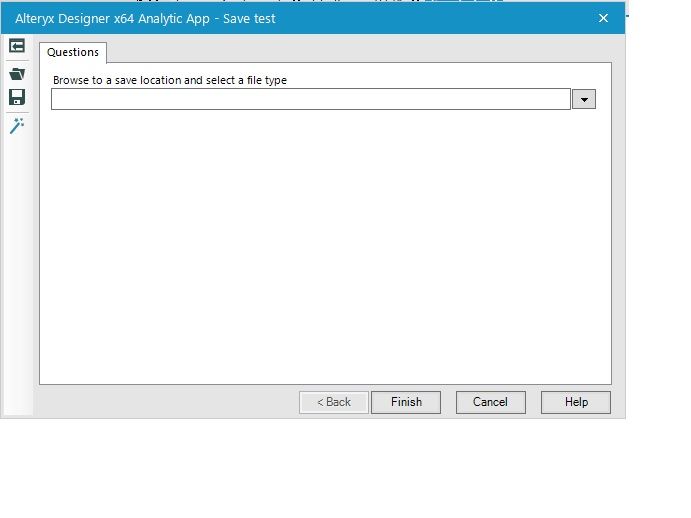
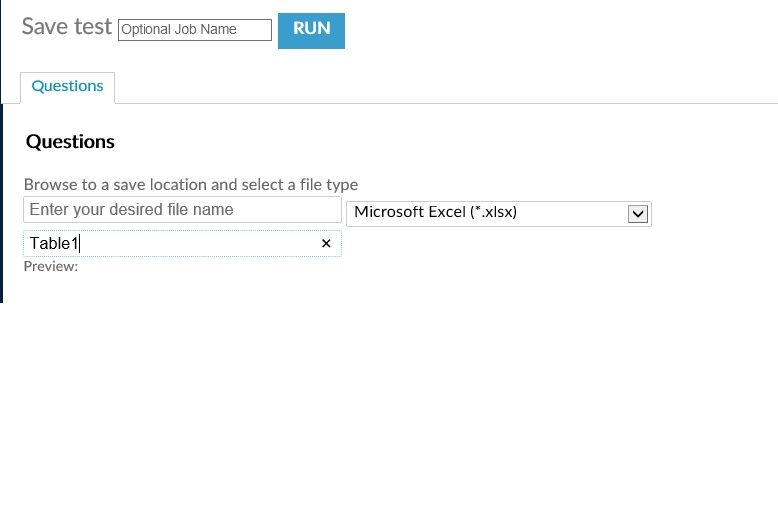
However, when I upload to the Gallery and attempt to run from there, the ability to navigate to a specific folder location seems to be gone. It says "Browse to a save location and select a file type" but there is no way actually select a file. It only lets me name the file and worksheet/table. (see below)
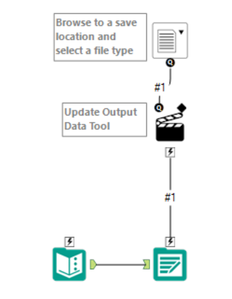
Below is a simple representation of my workflow.
Any idea if I am missing something or is it simply not possible to navigate to a specific folder location when running from the Gallery?
thanks,
Steve


