Hello,
I have a standard macro which contains some Interface Tools. The interface tools are used to update filters. You can see in the screenshot below how the output of the Union Tool is connected to the List Box Q input; this sends a pair of values into the Action Tool, which in turn updates the "settings" field in the Filter's expression
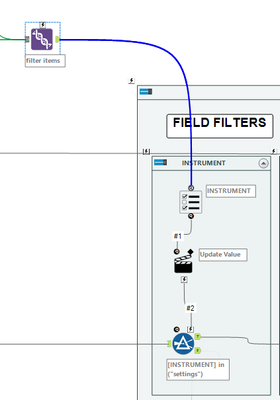
When I open this workflow in Test View, check the tick boxes which are presented to me, and hit Open Debug, the resulting debug workflow works, and I get the expected output.
The problem is that if I nest this standard macro inside an iterative macro to loop different filter variables to be used in the Action Tool, it always gives me the wrong answer.
I suspect that the problem is because the standard macro remembers what boxes were ticked in the last pass, and doesn't update the items AND the tick states of each item on each pass of the iteration in the iterative macro.
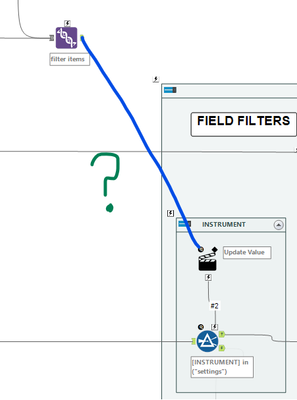
Assuming that what I just said is correct, is there a way to completely bypass the checkbox mechanism and have the Action Tool configure the items in the Filter directly without the need for the List Box?
Thanks,
Nick


