Hello
I have created a workflow that connects to my works database using Microsoft SQL Server OleDB.
It retrieves data for a particular file name and then multiple different columns as shown below. Currently I have to change the date 22 times (or copy and paste) to run each time. I believe by using a 'Text Box' and 'Action Tool', I can enter a date in the 'Text Box' and it will update all the 'Dates' (highlighted yellow) in my SQL Editor so that my workflow runs for the date specified.
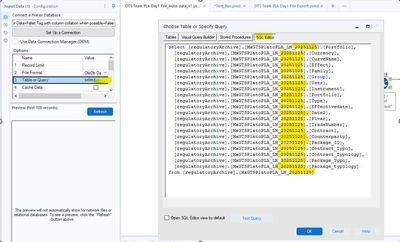
Here's my workflow
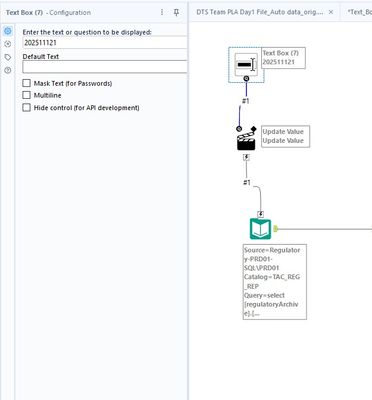
I need help please configurating the Text box and or Action box as I can't get this to run with different dates..
Thanks
Sures


