Note: The Charting Tool has been deprecated and replaced by the Interactive Chart Tool.
This article is part of the Tool Mastery Series, a compilation of Knowledge Base contributions to introduce diverse working examples for Designer Tools. Here we’ll delve into uses of the Charting Tool on our way to mastering the Alteryx Designer:
As long as you know where to look, data has all the answers. Sometimes, though, those answers aren’t clear as day. More often than not, they need to be communicated in an effective format - a format that can let the data talk and highlight the important motifs for you. Another favorite of the Reporting Tool Category, the Charting Tool can do just that by adding expressive visuals to any report or presentation. Offering an exhaustive list of charts to choose from (area, stacked area, column, stacked column, bar, stacked bar, line, tornado, pareto, box and whisker, scatter, bubble, polar, radar, pie), the Charting Tool will give you the ability to add descriptive visuals, with legends and even watermarks, to your reporting workflows that will help you find the answers in your data.
How many charts do you need? More
Use the Charting Tool for:
- Visualizing a data set (attached in Charting.yxmd)
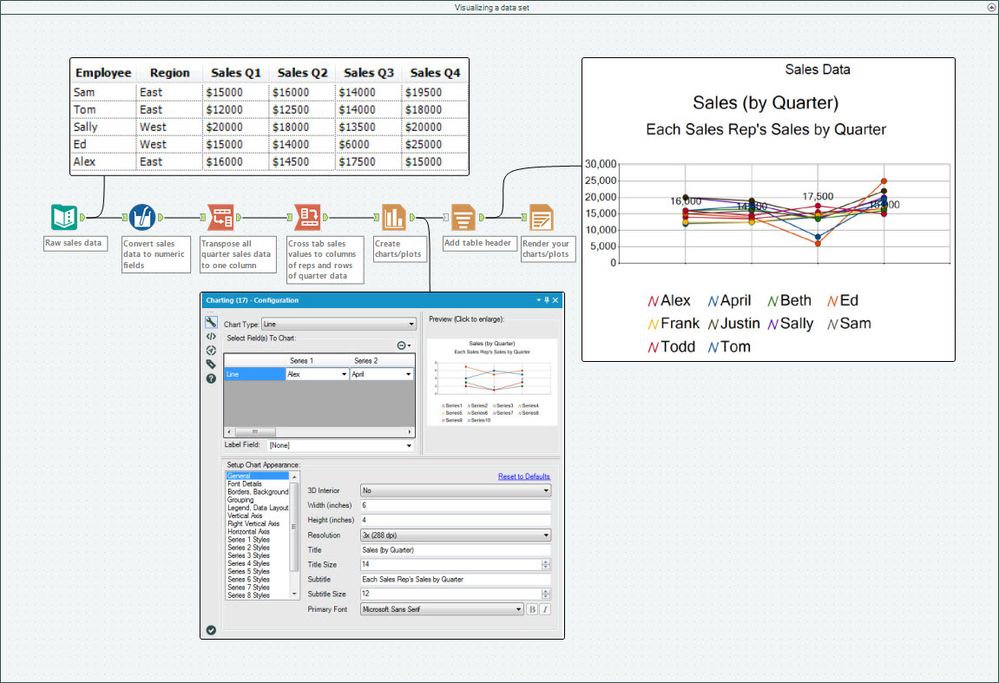
- Automating reports for groupings of data (attached in the Charting.yxmd)
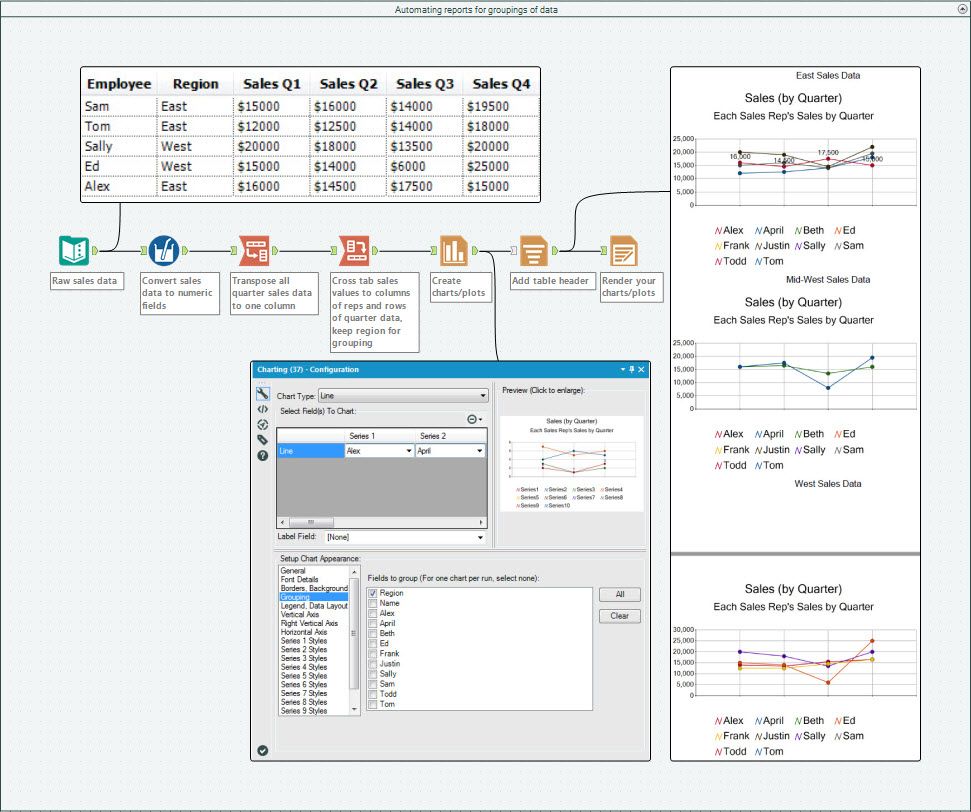
In this use case we simply took the same data from the first example and applied the Charting Tool’s “Grouping” feature to separate the reports by Region:
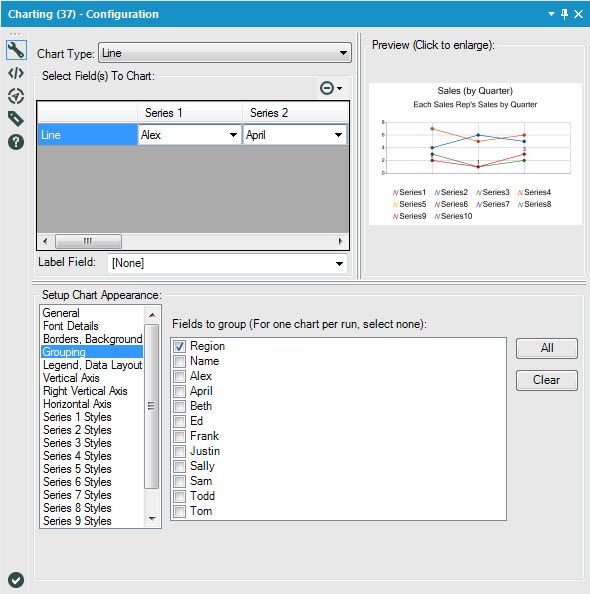
You can create the same output reports, one to a pdf file, by using the Output Mode “Choose a Specific Output File” in the Render Tool and grouping on the same field:

Like a charm, you have all your reports automated to output to each grouping in your data!
- Data profiling (attached in the Charting.yxmd)
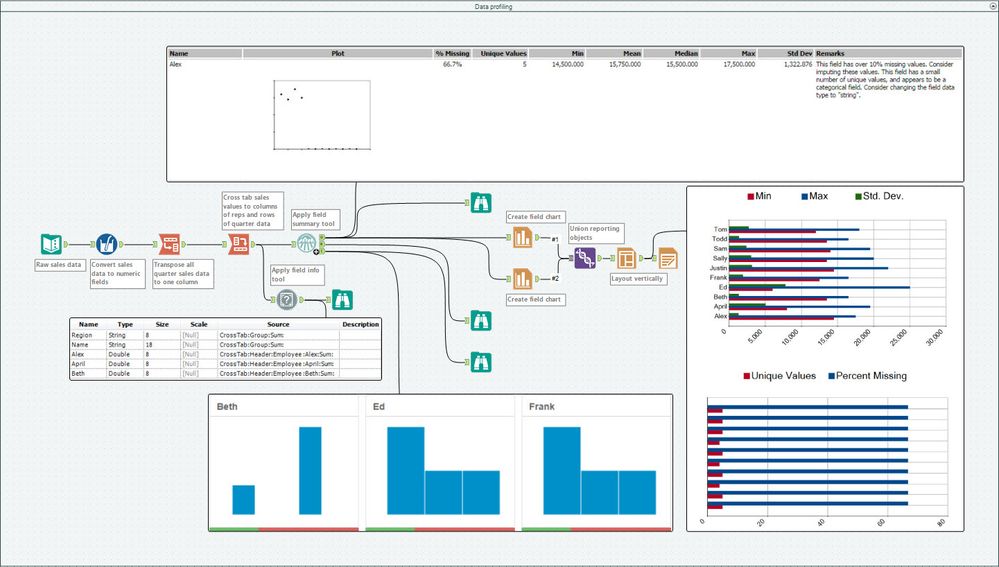
Similar to the data profiling features added in v11.0 of the Designer, you can use a combination of tools native to previous versions (like the Field Info or Field Summary Tools), along with the Charting Tool, to visualize metadata in your data sets:
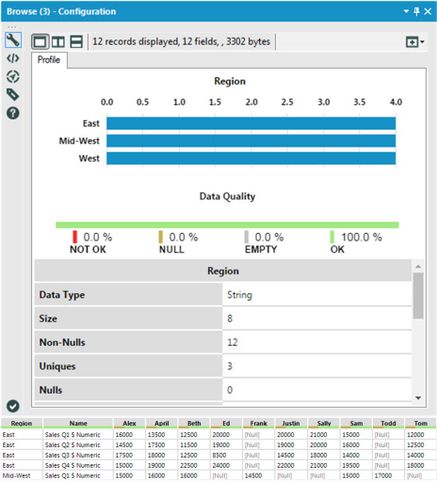
Data profiling in v11.0
By now, you should have expert-level proficiency with the Charting Tool! If you can think of a use case we left out, feel free to use the comments section below! Consider yourself a Tool Master already? Let us know at community@alteryx.com if you’d like your creative tool uses to be featured in the Tool Mastery Series.
Stay tuned with our latest posts every #ToolTuesdayby following @alteryxon Twitter! If you want to master all the Designer tools, consider subscribingfor email notifications.


