It's a common request from Alteryx Designer users to be able to get Tableau Dashboard screenshots to include them in PDFs, PPTs or simply distribute by email to others users without access to Tableau Server.
I have created two macros that connect to Tableau Server API (version 2.5) to pull Tableau dashboard images and use them in Alteryx.
Macros are super easy to use:
- Enter your Tableau user&pass details.
- Fill text boxes with the required details to connect your Tableau Server and get access to the desired view.
- Run and get the image!
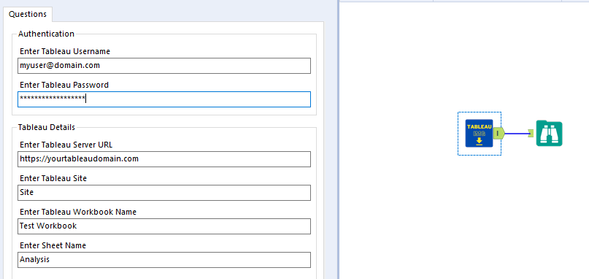
Tableau IMG Downaloader macro creates API calls to get the Auth token, workbook list and view list. Then you are allowed to select the workbook and the view you want to get a screenshot.
Tableau IMG Downloader Filter macros works in the same way but allows you to pass a field with values to filter the view and get multiple filtered screenshots.
The macros will also pass the image as blob.
Kindly note that the maximum number of workbooks/views the API call can pull is 1,000. If you need to pull +1,000 you will have to add the page number in the API calls according to Paging Results-Tableau Server REST API - Tableau.
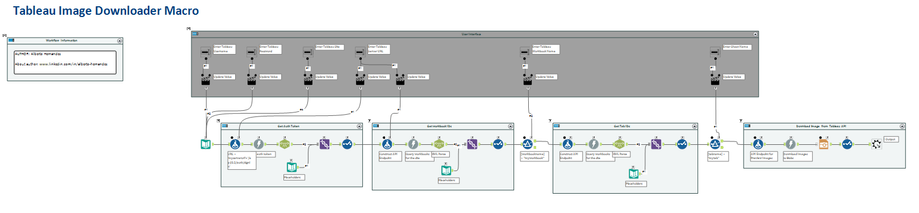
Get Tableau IMG Downaloader from the Alteryx Public Gallery: Alteryx Analytics Gallery | Tableau IMG Downloader
Get Tableau IMG Downaloader Filter from the Alteryx Public Gallery: Alteryx Analytics Gallery | Tableau IMG Downloader Filter
Please let me know your thoughts and report any bugs 😉
Alberto Hernandez


