In case you missed the announcement: The Alteryx One Fall Release is here! Learn more about the new features and capabilities here
ACT NOW: The Alteryx team will be retiring support for Community account recovery and Community email-change requests after December 31, 2025. Set up your security questions now so you can recover your account anytime, just log out and back in to get started. Learn more here
Start Free Trial

Alteryx Designer Desktop Discussions

Find answers, ask questions, and share expertise about Alteryx Designer Desktop and Intelligence Suite.
SOLVED

How to multiply to multiple columns in one table

louyang
7 - Meteor

Hi there,


I would like to convert the data in Table 1 by multiplying the rates in Table 2, and output Table 3.

That is Group A multiply by rate 1.8%, Group B multiply by rate 2.5%, and Group C multiply by rate 7%. 

I try to join the two table using the 'Join' tool, which it doesn't have the multiply function, I then used the formula tool itself by entering the rate numbers. 

However the rates could be updated annually so I would like to keep it as a separate input data, so that I don't have to update manually in the formula tool.

Appreciate if you could suggest on this.

2 REPLIES 2
Qiu
21 - Polaris
21 - Polaris

@louyang 
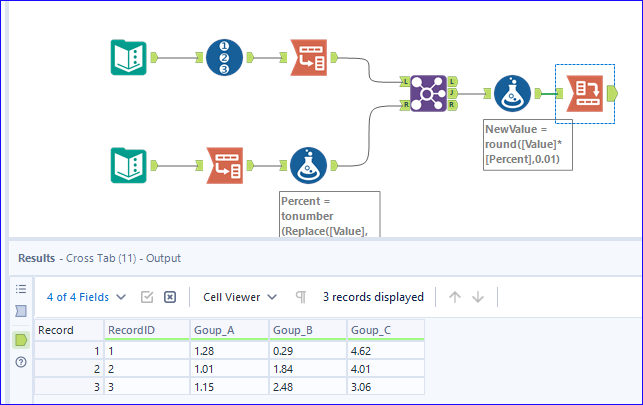
I think this is a typical use case of combination of Transpose and Cross Tab.

louyang.png

flying008
15 - Aurora

Hi, @louyang 


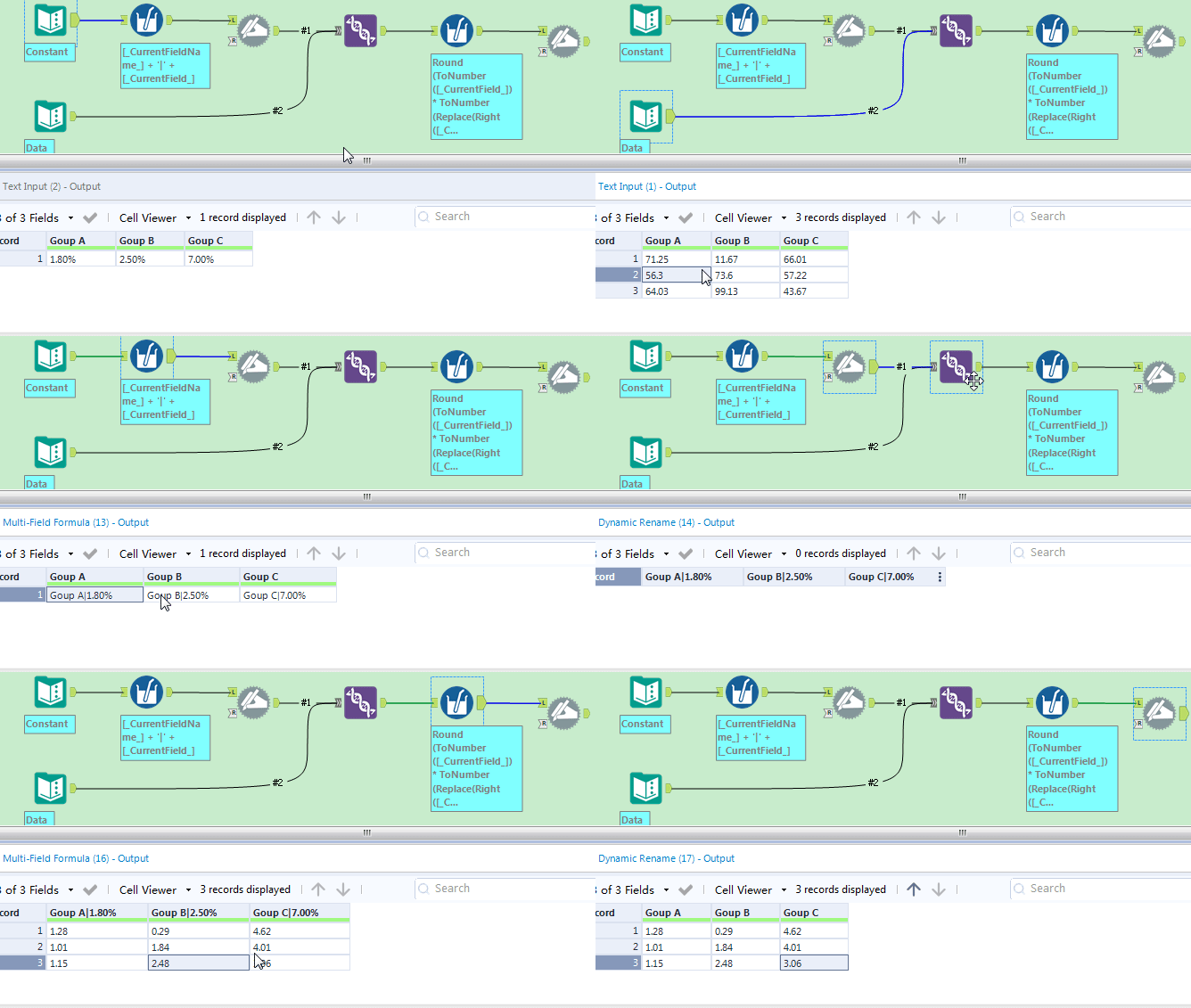
A trick for your case. 

Spoiler
Round(ToNumber([_CurrentField_]) * ToNumber(Replace(Right([_CurrentFieldName_], Length([_CurrentFieldName_]) - FindString([_CurrentFieldName_], '|') -1), '%', '')) / 100, 0.01)


录制_2024_10_18_10_52_25_906.gif


BTW, thanks @Qiu  for your sample data.

Labels
Top Solution Authors