In case you missed the announcement: The Alteryx One Fall Release is here! Learn more about the new features and capabilities here
ACT NOW: The Alteryx team will be retiring support for Community account recovery and Community email-change requests after December 31, 2025. Set up your security questions now so you can recover your account anytime, just log out and back in to get started. Learn more here
Start Free Trial

Alteryx Designer Desktop Discussions

Find answers, ask questions, and share expertise about Alteryx Designer Desktop and Intelligence Suite.
SOLVED

Basic Table - Conditional Formatting when field is Null or has blank spaces

cstafford
8 - Asteroid

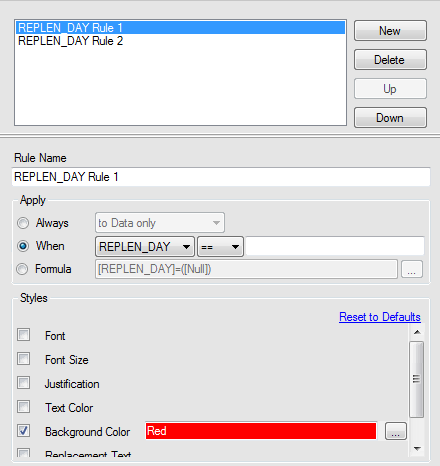
I am trying to add some conditional formatting on a simple report and having an issue when the field is Null or is empty but with blank spaces. I want to make this field RED when this condition occurs. 


I trimmed the column to remove blanks spaces and it will not recognize the blank condition

I tried a formula to recognize a Null field, and it will not recognize the condition.


any suggestions?


ConditionalFormat.PNG


2 REPLIES 2
LordNeilLord
15 - Aurora

Hey @cstafford 


In the formula option try IsEmpty(Trim([Replen_Day]))

cstafford
8 - Asteroid

that worked. Thank you!

Labels
Top Solution Authors