Dear all,
I am stuck when it comes to connecting to the Outlook 365 tool and scheduling the workflow to the scheduler.
I am able to connect on Desktop and extract the data from the inbox perfectly fine.
I select Use Service Principal after selecting Provide authentication information as reported in the help page (see screenshot below).
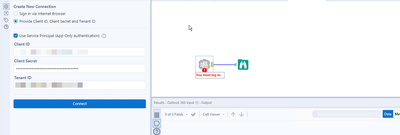
But when I schedule the workflow, it fails and I get an authentication error.
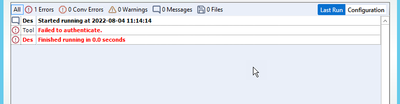
I followed this other post with a similar issue (https://community.alteryx.com/t5/Alteryx-Server-Discussions/Outlook-365-Tool-Runs-fine-on-server-machine-breaks-once/td-p/930297), where the user had problems scheduling to the gallery (not the scheduler) and the solution proposed was to add a registry key but this does not seem to be working for me.
Does anyone have a solution for this issue?


