I have a workflow with a Macro which is stored on a file server folder that is share with a colleague. Both of us have the same access to the file server.
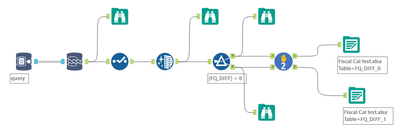
When I look at the workflow dependencies in Designer I can see the following dependencies:
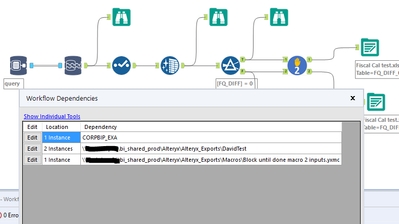
I can see the In-DB connection, the 2 output tools and the Macro.
My colleague can only see the following dependencies when he opens the same workflow from the same folder:
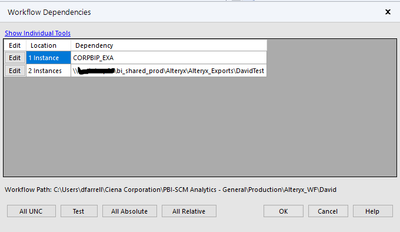
Designer is not showing the dependency for the macro when he opens the workflow.
This seems to be causing issues when he adds the macro to a workflow and saves it. If he does that the macro errors when anyone else tries to open the workflow as the path to the macro seems to be lost.
Can anyone shine any light on how to fix this?


