
This article is part of the Tool Mastery Series, a compilation of Knowledge Base contributions to introduce diverse working examples for Designer Tools. Here we’ll delve into uses of the Table Tool on our way to mastering the Alteryx Designer:
Any time you want to get a good point across, it’s best to show your data. Show your data off in style in your reports or presentations by adding formatting to otherwise bland data with the Table Tool! Found in the Reporting Tool Category, the Table Tool will make it easy flair to your raw data, and give it the pop it needs to really sink in.

More flair = always better
Use it when:
- Formatting tables of raw data (attached in Table.yxmd):
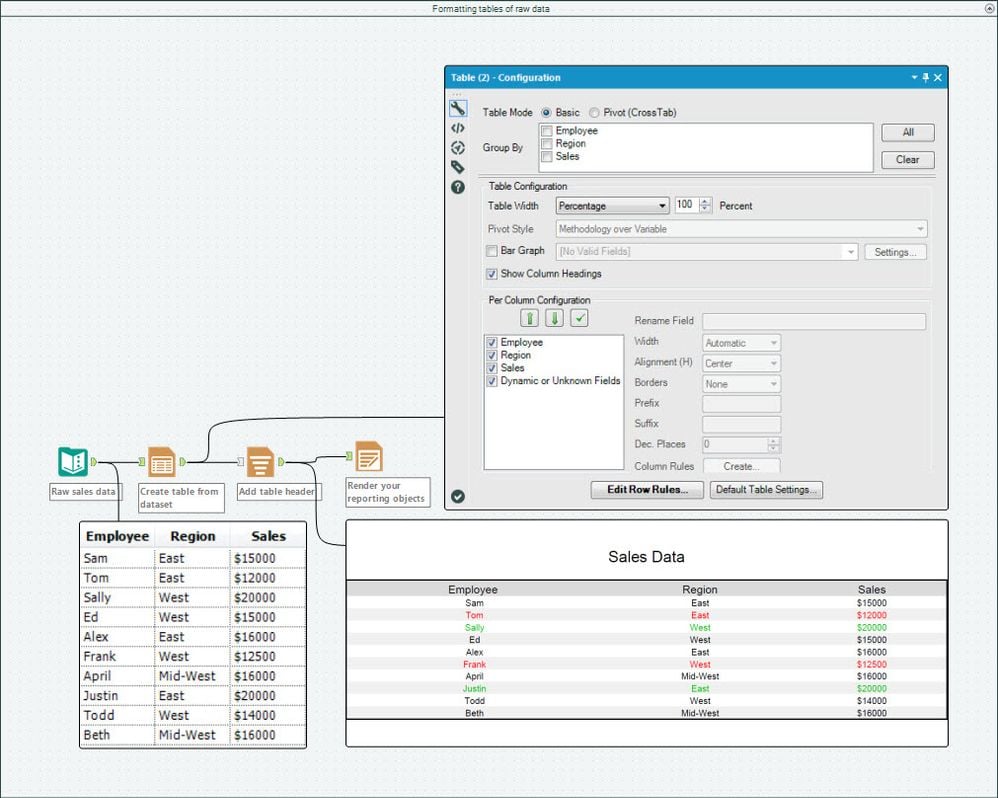
Be sure to add emphasis to your data by taking advantage of Column or Row rules to apply formats to specific data points or ranges – you can even use formula logic!
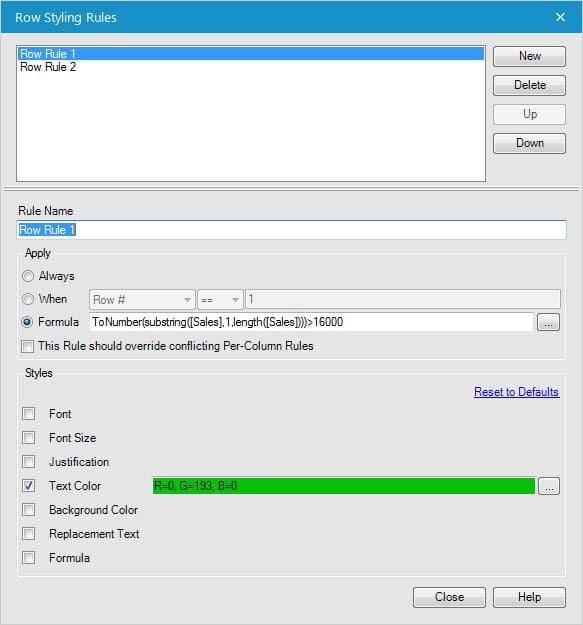
- Creating pivot tables (attached in Table.yxmd):
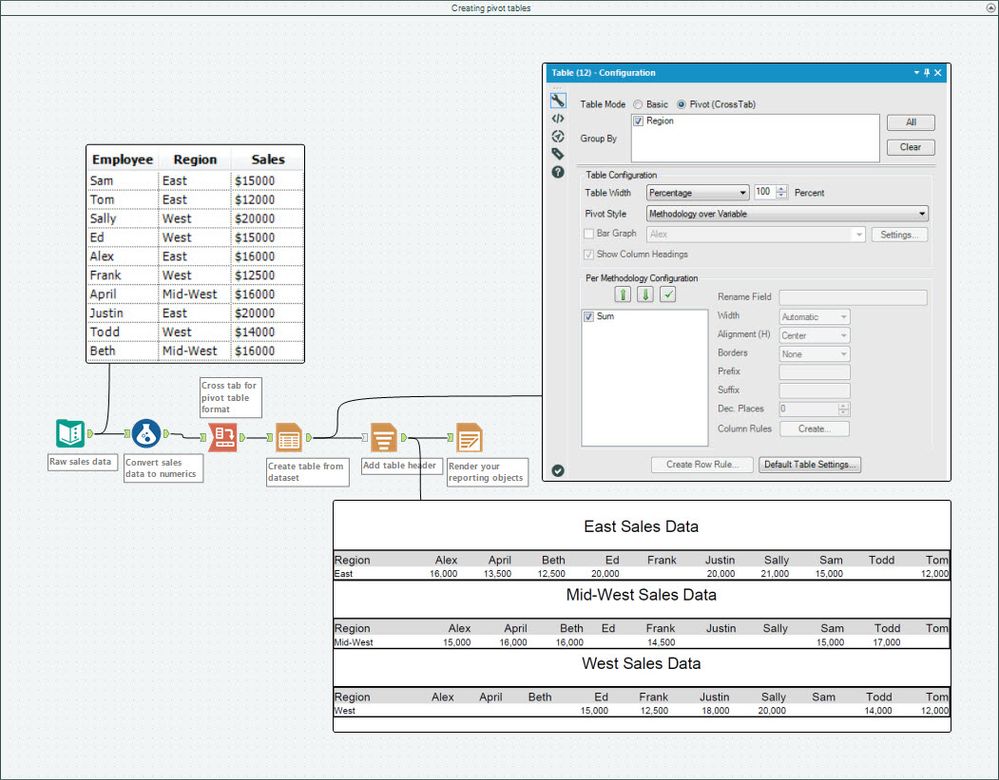
If you're looking to apply Table Tool column rules to multiple columns, read up on the approach here!
By now, you should have expert-level proficiency with the Table Tool! If you can think of a use case we left out, feel free to use the comments section below! Consider yourself a Tool Master already? Let us know at community@alteryx.com if you’d like your creative tool uses to be featured in the Tool Mastery Series.
Stay tuned with our latest posts every #ToolTuesday by following @alteryx on Twitter! If you want to master all the Designer tools, consider subscribing for email notifications.


