Regarding Alteryx Designer, we are currently using this tool for RQ system, and we need some help on below questions that currently arise with existing design Alteryx workflow.
- In Alteryx we would like to change the Oracle DB connection in DCM (Data Connection Manager) without losing the SQL’s code from input field in all existing workflow.
- We have installed latest Alteryx Designer x64 version 2024.1.1.93 Patch 3 and all workflow designed using Alteryx and Oracle connection using DCM and Input Data and output Data.
- We would like to change the Oracle database connection in all these existing workflows and share with other team member.
- We tried to change DB connection in existing workflow in DCM manager first field, but it is grey field non-editable. So, when we are clicking on “Set Up a Connection” it is creating new connection, but existing SQL query code is not persisting rather SQL query code getting lost and asking to write a new fresh SQL query code.
- Hence, how can we change the Database connection in all existing workflow designed using Alteryx DCM and without losing the existing SQL query code ?
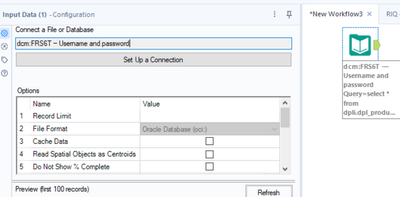
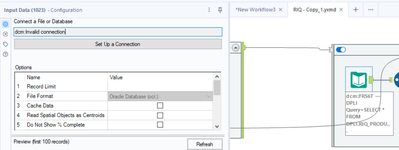
- We have also tried to open existing workflow file shared by teammate over there giving invalid connection and grey field non-editable.
Hence how to share the workflow with other team member without losing the DB connection and without losing the SQL query ?
- In Alteryx we tried option of creating In-DB connection using DB alias which creates .indbc file.
- We are able to create DB connection file .indbc successfully using below option Alias manager.
Options > Advanced Options > Alias Manager > In-DB Connections
- All the existing workflow designed using DCM and input data and output data.
- So, how can we apply this In-DB connection in all existing designed workflows in input and output data?
- Do we need to enhance all the workflow’s by replacing input and output data by DB connect In-Database tools / Data Stream tools ?
- Kindly suggest the possible options.


