
This article is part of the Tool Mastery Series, a compilation of Knowledge Base contributions to introduce diverse working examples for Designer Tools. Here we’ll delve into uses of the Join Multiple Tool on our way to mastering the Alteryx Designer:
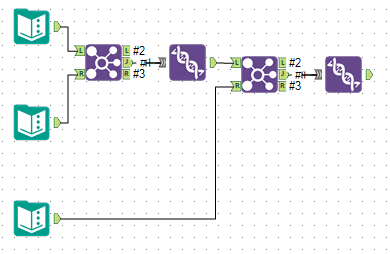
TheJoin Multipletool is a combination of theJoinandUniontool. It is best used to consolidate a workflow into one tool when you would instead use multipleJoin andUnion tools:
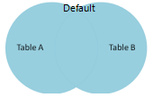
Join Multiple can output all joins (Left, Inner, and Right):
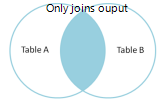
Or output only an Inner Join with "Only Output Records that Join from All Inputs" checked:
This functionality, combining Join and Union, can be revealed through two test cases:
- Join Multiple with identical join criteria
- Join Multiple with different join criteria
- Joining multiple inputs with identical join criteria is the easiest because the output is exactly what is expected (an inner join). Because there won’t be any left or right join outputs the join multiple tool should only be used to join more than 2 inputs at once. Otherwise a regular join tool would work just as well.
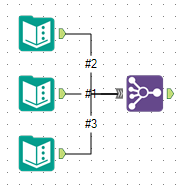
- Joining multiple inputs with different join criteria really makes use of the union function. If there is ever an output from the left or right join it will just be Null in the output for the inputs that didn’t match.
Input1:
Input 2:
Input 3: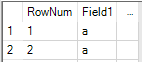
Output:
This function is especially useful when preparing reports because the reporting tools don’t care if there are null columns in a row.
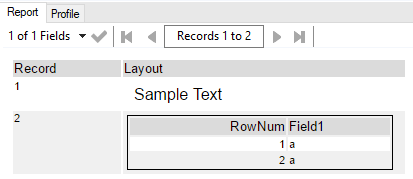
For example, joining a Table and Report Text creates an output that doesn’t match:
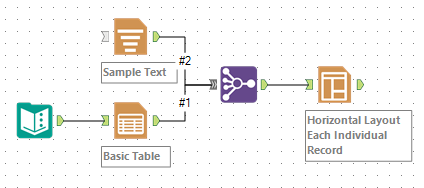

But the Layout tool still creates a proper report:
By now, you should have expert-level proficiency with the Join Multiple Tool! If you can think of a use case we left out, feel free to use the comments section below! Consider yourself a Tool Master already? Let us know at community@alteryx.com if you’d like your creative tool uses to be featured in the Tool Mastery Series.
Stay tuned with our latest posts everyTool Tuesdayby followingAlteryxon Twitter! If you want to master all the Designer tools, considersubscribingfor email notifications.
Additional Information
Click on the corresponding language link below to access this article in another language -


