I'm having problems getting the file browse interface tool to work with the render tool in the gallery.
If I select "Report Formats" in the configuration, and ".D\TEST.xlsx" as the Output File in the render tool, instead of creating an Excel file, the tool wants to open one.
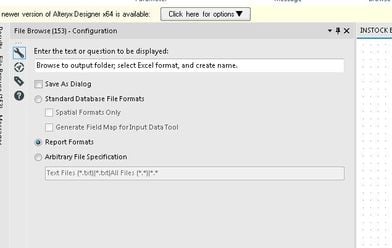
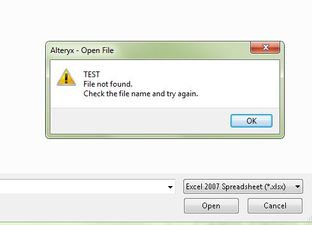
If I select the "Save as Dialog" button, and Report Formats, the application works in designer:
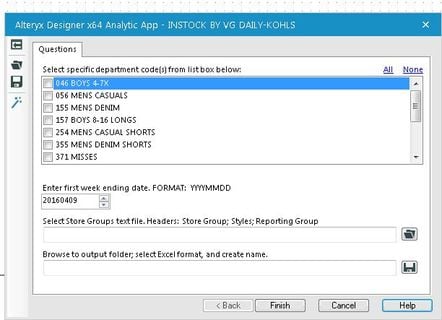
But when uploaded to the gallery, the "BROWSE" button is gone, as is the "Save As" icon, and there is no longer an option to browse to the output folder:
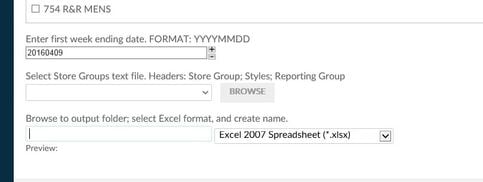
At this point, the report runs in the gallery, but the user has to open the results in the gallery and save it to their folder. I can't sort out a way to have them browse to the path and file name before the report has run.
I tried copying and pasting the path and file name in the dialog box, but that doesn't work either:



