In case you missed the announcement: The Alteryx One Fall Release is here! Learn more about the new features and capabilities here
ACT NOW: The Alteryx team will be retiring support for Community account recovery and Community email-change requests after December 31, 2025. Set up your security questions now so you can recover your account anytime, just log out and back in to get started. Learn more here
Start Free Trial

Alteryx Server Discussions

Find answers, ask questions, and share expertise about Alteryx Server.
SOLVED

Programmatically change "global" Run As user account?

mchamlee
6 - Meteoroid

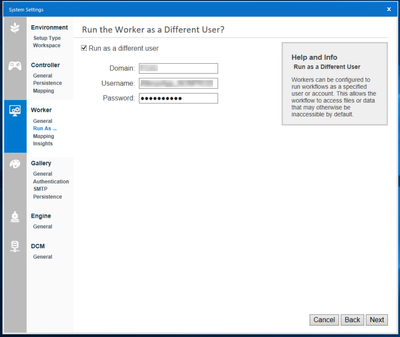
Before opening a support ticket on this I wanted to see if anyone in the community has found a way to programmatically change the "Run the Worker as a Different User" setting within the Alteryx Server System Settings. Our IT team is looking to automate as much of the password rotation process as is feasible and this is one blocker in trying to automate the service account rotation for our Alteryx Server installations. I'm open to "creative", non-supported methods.


mchamlee_1-1657121867283.png


3 REPLIES 3
fmvizcaino
17 - Castor
17 - Castor

Hi @mchamlee ,


You have a command that can be used to update the run as and password automatically. The service needs to be stopped to work.

AlteryxService.exe setexecuteuser=name,domain,password


I got this command from here: https://help.alteryx.com/20212/server/server-host-recovery-guide


AlteryxService.exe is located in the bin folder of your Alteryx installation.


Best,

Fernando Vizcaino

mchamlee
6 - Meteoroid

@fmvizcaino This is great, thank you very much. Will test this out ASAP and report back.

mchamlee
6 - Meteoroid

@fmvizcaino Worked perfectly. Thanks again.