Hi
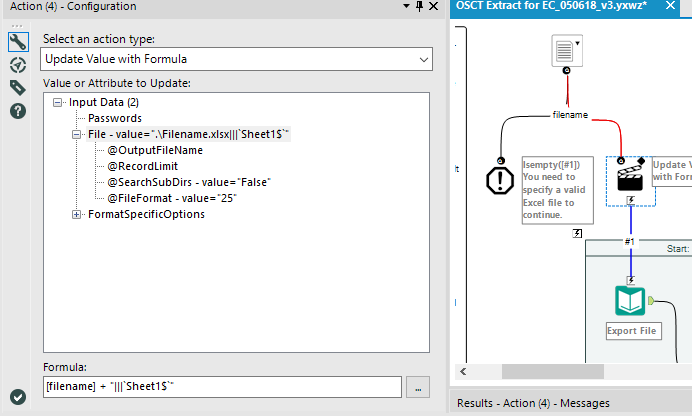
I have an analytic app workflow in which the user is prompted to select a Data Input source file (an Excel workbook) using the File Browse tool. An action tool then passes the filename to a Data Input tool using the Update Value with Formula option, where the formula passes in the filename, but has a hard-coded worksheet name. This workflow runs just fine in Designer. However, when I upload it to a Gallery there are a number of issues:
1. When a user runs the workflow, as expected they are prompted to browse and select a file. In the file browse window the file type or extension options configured in the File Browse tool are ignored (not a big deal, but different to the Designer experience).
2. Upon selecting an Excel workbook the user is then prompted to select a worksheet from the chosen file.
3. Finally, when run the job fails with an error saying
File not found "D:\ProgramData\Alteryx\Service\Staging\8696_4f022fb2f2454d5cb168e5d9000ff581\In_5b1733b05fcdd221f8006d00\MyFile.xlsx|`Sheet1$`" (Tool Id: 2)
I have seen a similar post with this same issue, where the response was that this is a bug and that it should work just as it does in Designer. That was a year old however, so I'm hoping there has been a fix or that there's a workaround I can use.
Thanks!