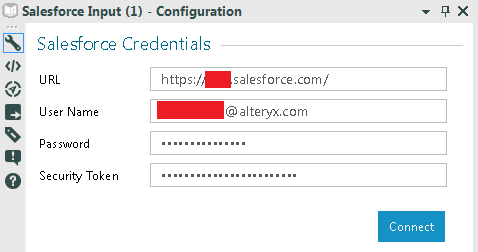
In Designer v10.1, there are four components to making Salesforce connections in the Designer Salesforce tools:
- Making sure you have the correct Salesforce URL; it would look something like https://[instance].salesforce.com. For an example, I've posted one that I use below:

- Your Salesforce username
- Your Salesforce password
- A Security token that you can recover from your Salesforce administrator or using the steps below (if you have the sufficient privileges from your Salesforce admin):
In Salesforce.com, click on the picture icon in the top right hand corner and click on my Settings
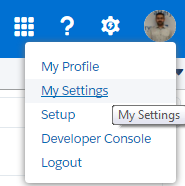
Click on Personal > Reset My Security Token

This will send out an automated email with your security token. Voila! You should be ready to connect!
If you have trouble connecting thereafter, please consult our help pages or the Client Services team!


