PRODUCT: Alteryx Designer or Alteryx Server
VERSION: 11.0
LAST UPDATE: 02/03/2017
ATTACHMENT: None
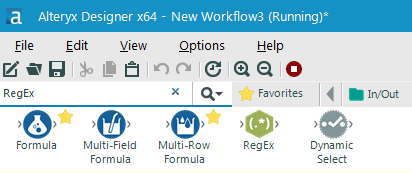
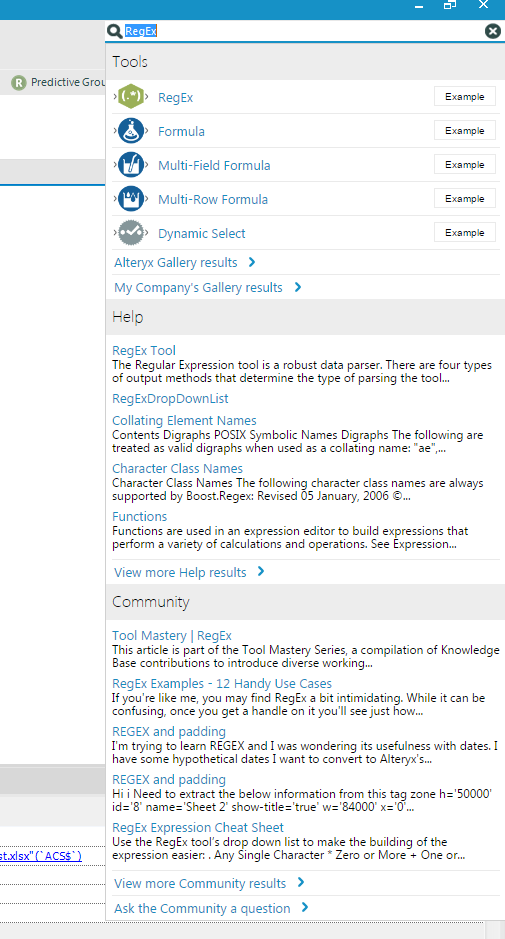
The standard search within the Designer has been replaced with Global Search. Global Search now allows users to search from the Tool Palette, the Alteryx Help Documentation, and the Alteryx Community in one search bar.
Tools:
Users can drag and drop the tools from the search results onto the canvas, as well as open up one-tool sample workflows by clicking the “Example” button next to a tool. Clicking “Alteryx Gallery Results” will pull up the search results returned from the public Alteryx Gallery in a new browser window.
Help:
The top five search results from the Help Documentation will appear here. Clicking “View more Help results” will pull up the full search results returned from the Help Documentation in a new browser window.
Community:
The top five articles from the Community will appear here. Clicking “View more Community results” will pull up the search results returned from the Alteryx Community in a new browser window. Clicking “Ask the Community a question” will allow users to post a thread to the Alteryx Community.
11.0 Global Search
Pre-11.0 Standard Search