Hey, guys!
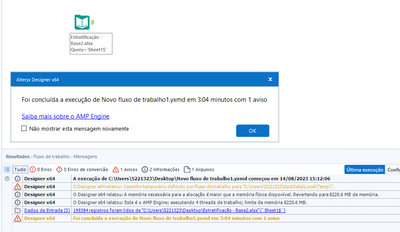
I'm running a read-only stream of 1 .xlsx file, but on one machine it takes 0.4 seconds, on the other (secondary) machine it takes 3 minutes, is there any configuration I can do to improve performance?
Machine settings:
1° i7-6700 CPU @ 3.40 GHz 3.40 GHz and 16.0 GB RAM WITH 500 GB HDD
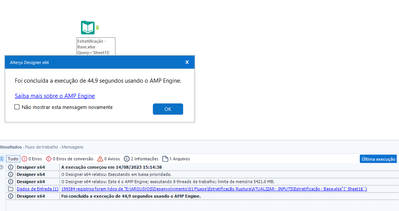
2nd CPU Intel(R) Xeon(R) E3-1225 v5 @ 3.30GHz 3.31GHz and 16.0GB RAM WITH 250GB SSD
the 2nd machine that is taking time