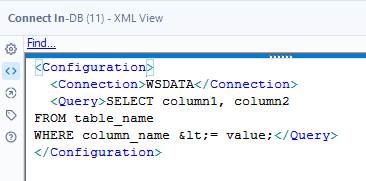
I'm hitting a wall trying to use < inDB, and I'm wondering if this is a "bug"/known issue for this set of Alteryx tools/database connections. Normally, I get around this issue by keeping my Connect InDB/Dynamic Input InDB queries simple and using InDB filters to narrow down my data before pulling it out of the database and continuing to manipulate it.
In this case, I am needing to input a dynamic date (numerical field) and filtering it for value less than or equal to the dynamic date. I can't currently think of any work arounds to avoid the issue.
Both = and > work without issue, it is only < and <= that cause the error to pop up.
It appears to be an issue with Alteryx reading the xml and potentially not escaping it properly? But since my SQL server won't accept "<", I can't try manually escaping it to see if it will work. Does anyone have suggestions or work arounds?
Alteryx Version: 2023.1.1.361 Patch: 6
Database: Microsoft SQL Server
Here's an example query:
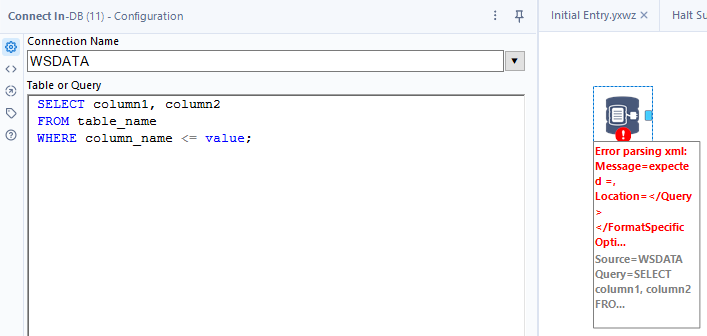
The error:
"Error: Connect In-DB (11): Error parsing xml: Message=expected =, Location=</Query>
</FormatSpecificOpti..."

The xml view showing the escaped character which should be correct?