I'm using Alteryx Designer 2018.3 at work (haven't adopted the newest version yet) and I notice a strange occurrence of tool settings suddenly disappearing or clearing out only when I download workflows or view example workflows within the tool search selection of Designer.
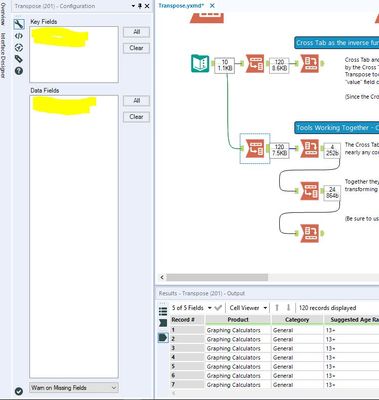
For instance, I selected the Transpose Example in Designer and ran the workflow. Once completed I clicked on the tools to review the settings of each. After going through a few I began noticing the settings started disappearing as shown in the following image.
 Where are settings???
If I try to run the workflow a second time, not changing anything, I get errors . . .
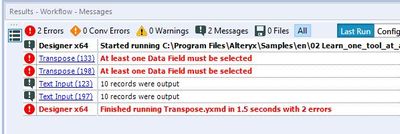
If I close the workflow without saving, open back up the example (or download from community) and try to run it, the settings are still wiped and I get errors.
.
If I shut down Designer completely, not saving, reopen, grab the same example, and run it the settings return but only temporarily it seems.
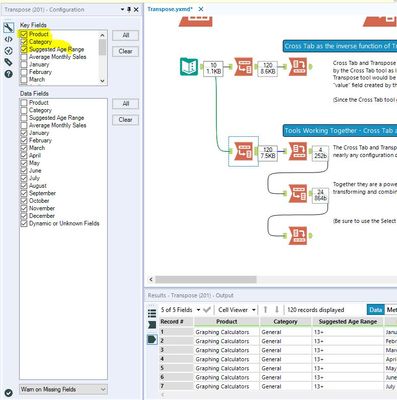
And within a few minutes they are gone and running produces errors . . .
I'm not sure what's going on here and wanted to see if others have this issue and/or know a resolution. It may also be a bad install too as I have noticed another issue that I'm working with IT to configure/resolve (python tool doesn't install Jupyter).


