I have a column A which contains a number and then some text. I'd like to split the numbers in to one colum and the text in to another.
e.g. 12345 Scenario: state case
Hi @Mancunian,
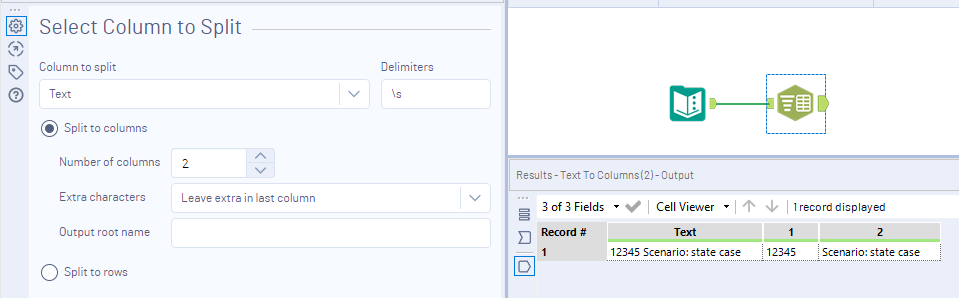
You can use the text to columns tool and split on a space using the delimiter \s
Choose your number of columns to split to be 2 and leave extra characters in last column. This will only split on the first space.
If this solves your issue please mark the answer as correct, if not let me know! I've attached my workflow for you to download if needed.
Regards,
Jonathan
thank you this work really well.
If I had to do this for a header of a field, would I use a dynamic rename?