Hi.
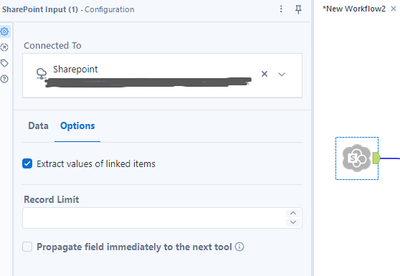
I'm using Alteryx Designer 2024.1.1.254 and have recently switched from the now deprecated SharePoint connector to the newer one, called "SharePoint Input".
However, I noticed a difference from the old one to the new one, when extracting data from Lookup fields in SharePoint list.
Previously, I would get both the ID of the specific item selected on the Lookup list in SharePoint + the actual value selected.
So if the user had for example selected "Heinz Ketchup" in the lookup field, the extracted data would look like : 134;#Heinz Ketchup
In the new connector however, I get an ID field of that lookup list separately, so now the same data just looks like: 134
There is an option in the connector to "Extract values of linked items" but when I tick that option, I do get a new column which seems like it is supposed to have the selected value, but it only does so for a very few items and they also seem to be incorrect...
Does anyone know how to either get the selected value to be included in the data extract, or perhaps extract some meta data on which ID is which, so I could join ID 134 to Heinz Ketchup in this example...