Hi there!
I decided to write this piece here as a community post rather than a blog because I see a lot of input truncation issues with CSVs both in my job and in the community.
To set the scene, imagine you have a CSV file that looks like this:
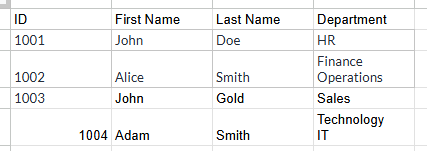
To the naked eye, it seems normal and sure there's a CTRL + ENTER space in the Department column. Otherwise, the data looks fine-ish to be inputted into Alteryx. So, we just drop the file into the Designer, then run, and build. But, we run into an error:
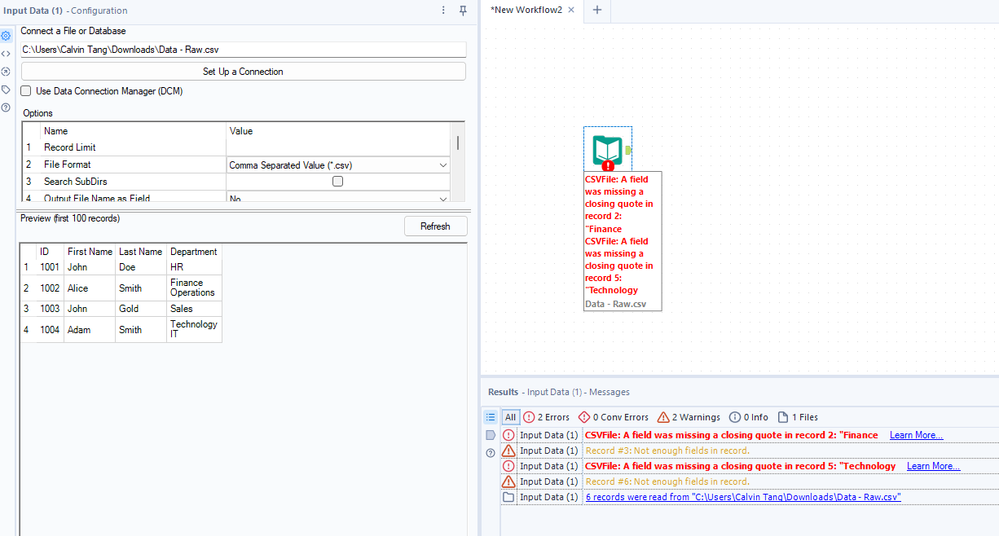
So what gives? The error actually tells us what happened. You see, the data that you are loading in is actually truncated and how Alteryx reads it will force it to be its own row, which is also seen if you open the CSV with Notepad or Notepad++ like so:
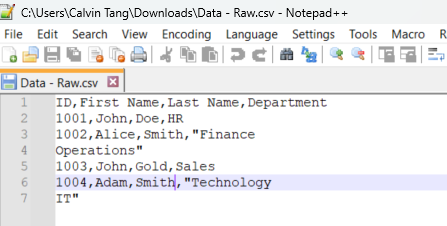
So this throws the input tool off, and although data still passes through sometimes for some cases, it is not productive to keep having that error at the start as the memory limit kicks in afterwards. For instance, you see the data still passing through here in this case:

So the question is, how do we solve this? The answer lies in the input configuration itself.
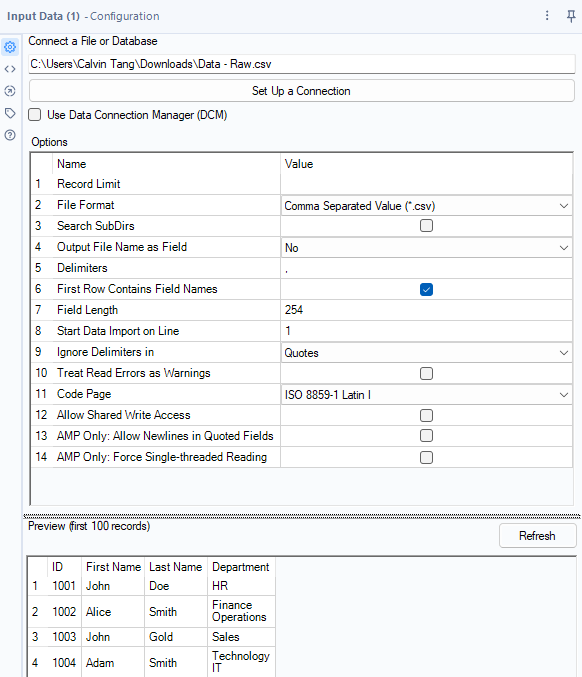
So, we can see that the configuration looks like the above. The preview looks decent as well, but we know from running it... it won't look like the preview in the results pane. To account for this, we need to set the configuration to look something like this:
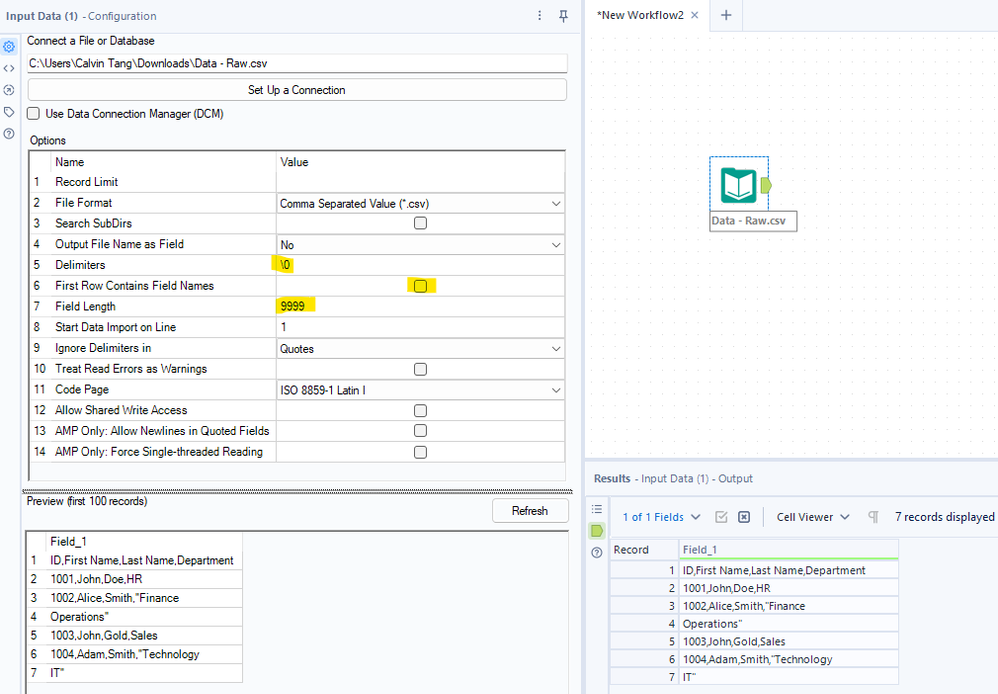
By fixing the delimiters to "\0" rather than a "," or "|', it calls all the data as is and shows us how it looks like in a Notepad / Notepad++ environment. We also untick the First Row Contains Field Names so we get a fixed "Field_1" column name with our actual column headers as our first row. Then, the field length is also changed - in my case, I am making it to be 9999 just to make it as large as possible, but you can decide how large you want it to be.
Once you do that, you will be able to run the workflow without an error, and the results pane showcases the result of what you would see in Notepad / Notepad++ environment. Now, how to structure it to be used? Simple, we do the following:
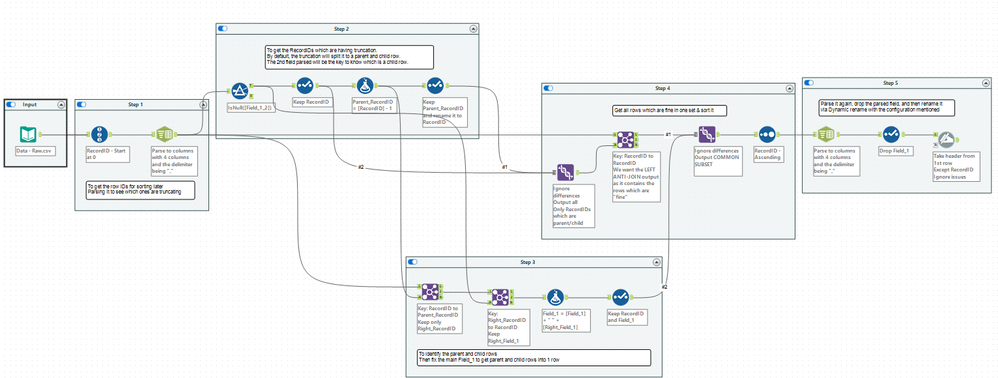
To see the workflow, I've exported a copy here in this post for you all to study. Again, there are many ways to parse it from here and you can simplify / skip some of my steps if you think you want to optimize it, but I designed it this way to show the flow better and how people can do it. Once you do it, you will get this result:
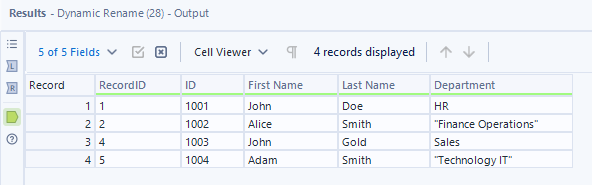
Then you can continue building from there! With a clean input and no errors, it makes your workflow building life much easier and more dyanmic to cater to different scenarios!
If this was helpful, drop a like and comment. Please feel free to share your own way in the discussion below. Also feel free to share this to people to help them solve their input truncations!


