Hello,
I'm trying to automate a thing we currently do in Excel. The screenshots I'm showing are not of actual data, this is a mockup designed for this post.
I made a video and uploaded it to YouTube if anyone needs to see a proper walkthrough, I'm not confident that my description below is good enough.
YouTube video walkthrough
Attached at the bottom is the working file used to make this post.
What I'm starting with
In a nutshell, we get an Excel report which lists all the items in our inventory. It looks something like this:
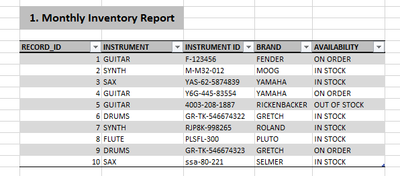
We have to do various counts of the inventory based on different configurations of the filters. For example, if I want to look count ALL SAX records, I would do something like this in the INSTRUMENT field:
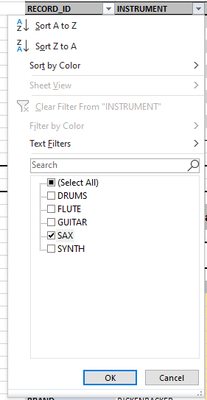
And the result would look like this:

I would then do a count of the records, assign it a meaningful Data Point name, and throw it into a list like this (unioned with two other Data Points):
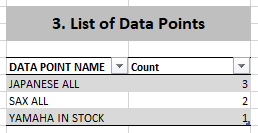
This work is very tedious, I have to do up to 80 different counts. We timed someone doing this a few months ago, we figured that with our actual data (hundreds of thousands of records, about 40 different fields to filter on), it took about 2 full days to get all the points compiled into a list.
Through the help of lots of YouTube videos and posts here in the community, I decided to come up with this solution.
For each Data Point I'm trying to find, I designed a little template which can be used to describe the various on/off states of each item in each Field filter. Using Yamaha In Stock as an example, I converted this:
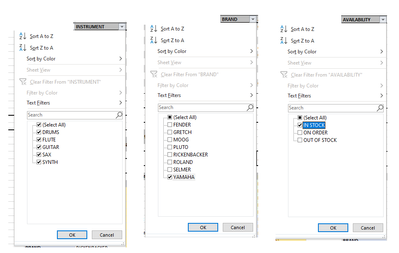
...into this:
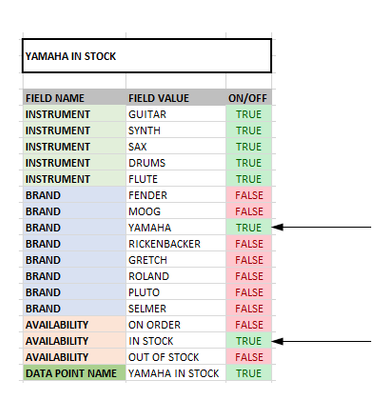
note that YAMAHA is set to TRUE, IN STOCK is set to TRUE)
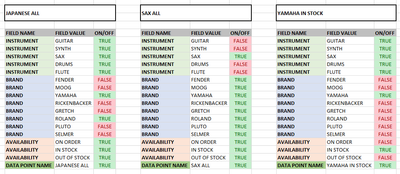
I made a bunch of these little filter configurations for each data point I need. Here are 3 examples of Data Points someone might ask me for, and their respective filter configurations:
- JAPANESE ALL
- SAX ALL
- YAMAHA IN STOCK
Replicating this in Alteryx
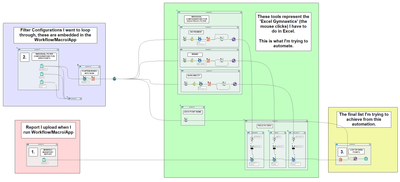
So I built a Workflow which looks like this:
It can take a filter configurations (2), load it into the filter tools and configure them (big green box), load the monthly inventory report (1) and run it through the configured filters (big green box), and spit out a single record (3)
In practice, it looks like this:
When I connect the JAPANESE ALL configuration to the and run as Analytic App from the magic wand button, I get the following:
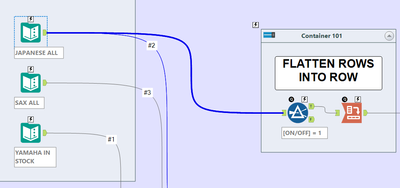
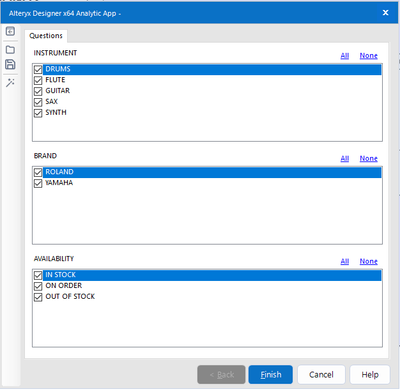
And when I click Finish, I get the following:
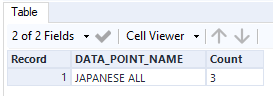
This is good, this is what I want.
HOWEVER, if I want other Data Points, I have to disconnect the JAPANESE ALL configuration, and reconnect the configuration of the data point I'm interested in, and go through the whole process again.
Here it is for SAX ALL:
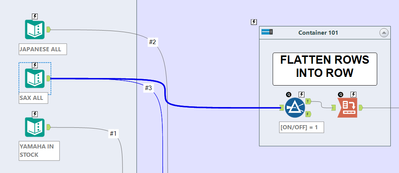
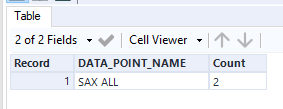
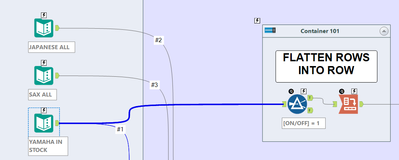
And for YAMAHA IN STOCK:
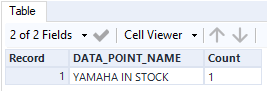
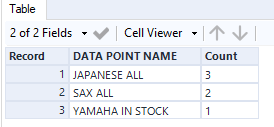
That's nice and all, but what I REALLY want is this:
The approach I'm taking is to union all the filter configurations and flatten them to a single record per data point:
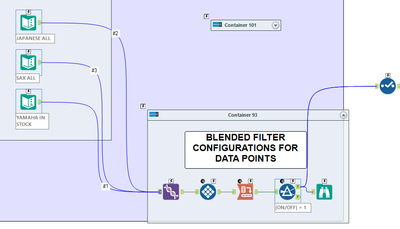
Which in turn makes this:

I would configure the Workflow to go through each of these filter configuration records and apply their filter settings to all of the inventory report data 1 by 1, and the results would get stacked on top of each other at the end until I ran out of filter configuration records.
I've tried different flavors of Batch Macro, Iterative Macro, Analytic App, regular Workflow, and I can't seem to figure it out. I think my brain is fried from all the tinkering back and forth between Excel and Alteryx, I'm looking for some guidance.
My question to the Community:
My question: how do I set my Workflow up to:
1. prompt me to load the inventory report
2. the workflow goes through each filter configuration record, configures the filters, and runs the inventory report through it, and spits out a value
3. the resulting values stack on top of each other into a list
4. this loop continues until there are no more filter configuration records left
5. it just runs without any further prompts...not list box interface tools or anything. Simply open the app, load the inventory report data, and wait for the final data point list to come out at the other end.
Thank you all,
Nick


