ACT NOW: The Alteryx team will be retiring support for Community account recovery and Community email-change requests Early 2026. Make sure to check your account preferences in my.alteryx.com to make sure you have filled out your security questions. Learn more here
Start Free Trial

Alteryx Designer Desktop Discussions

Find answers, ask questions, and share expertise about Alteryx Designer Desktop and Intelligence Suite.

Replicate Embedding of Object thru Excel using Alteryx

jayross2408
5 - Atom

Hi Community,


Is there a way wherein I can replicate the inserting/embedding of objects in Excel using Alteryx? I want to insert the object to the specific sheet in my output.


Here's the detailed instructions on how to embed object in Excel just to give you an idea:


1. Go to your Excel > Insert > Object

2.Choose Create New.

3. Now select an icon that you want on your object then tick/check the display as icon.
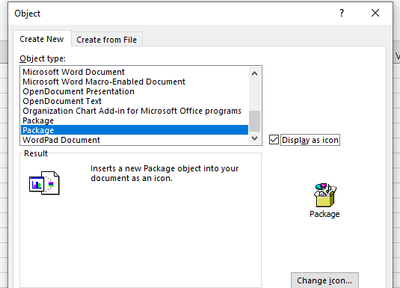
jayross2408_3-1648458330924.png


4. Click Ok.

5. Browse the file you want to add as an object
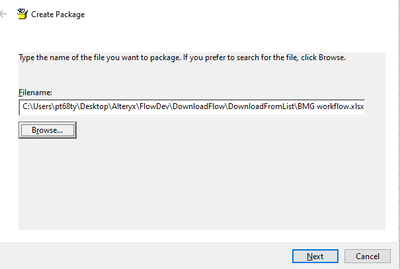
jayross2408_4-1648458388067.png

6. Click Next

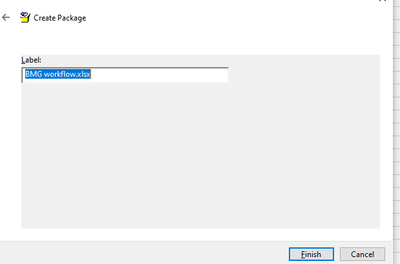
jayross2408_5-1648458410015.png


7. Click Finish

8. It would look like this
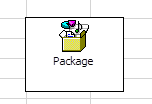
 

jayross2408_6-1648458444363.png


Hope you can help me on this.


Thanks!


0 REPLIES 0
Labels
Top Solution Authors