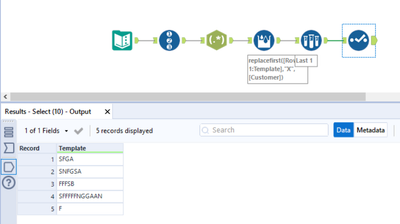
Struggling with a way to solve for injecting 1 string into another dynamically
| Customer | Template | Output |
| FGA | SXXX | SFGA |
| FGA | SNXXSX | SNFGSA |
| FFF | XXXSB | FFFSB |
| FFFFFGGAA | SXXXXXNXXXXN | SFFFFFNGGAAN |
| F | X | F |
Replace each "X" in the Template column with a value from the Customer string.
Example Customer FGA
Template = SXXXN
Result SFGAN
The letter X will never appear in customer data
The number of X positions in the template will always equal the number of positions in the Customer filed
The length of the template can be 1 to 50
Ive attempted
replace formula
REGEX_REPLACE - though I dont see a way to step through characters
multi-field formula with a reg ex- like REGEX_Replace([Template], "X", Substring([Customer], Mod([Row-1:Customer], Length([Customer])) )) - I suspect this could be the best solution, but just cant get it right!
any ideas/ solutions would be greatly appreciated!