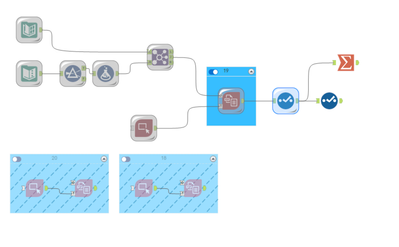
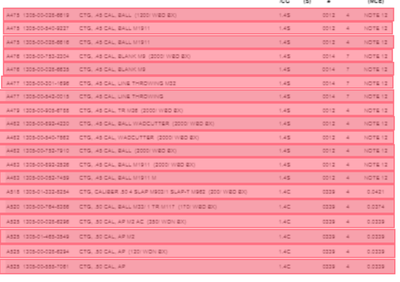
Trying to convert a 229 page table from PDF to Text using Intel Suite tools.
Each page has between 13-20 rows per page.
Pages with 19, 18, and 20 rows account for 99% of the total.
I have Image Templates for each row count scenario.
There are 8 fields (columns) on each page.
The 3rd field in NAME. And while each row in the PDF table represents one record, within that row NAME might have two lines (among many other challenges with auto outputs).
>>> This rules out Output Options without a Template. The output splits PDF single records with two lines in NAME across 1-3 lines.
>>> Using a Template and annotating each field as a column (down) also does not work. The resulting output still splits a single PDF record row if it contains more than two lines for NAME across 2-3 out put rows.
>>> Only using a Template and annotating each row (across) for each row in the PDF maintains the link between output records split across multiple rows. In this configuration, the Region and Row fields act to identify the relationship to one another.
BUT I still get the warning "Tool didn't extract text from markup region X on page 1 of file Y."
The latest run produced 65 + warnings -- i.e., 65 rows that were not extracted.
And it's always a handful of rows (regions) that are the culprit, such as 8,9,11,13 - but not always together.
Now I have hand drawn these region boxes 8 or more times and I can't seem to get rid of these missed extractions (always regions/rows in the middle of the PDF).
What causes these missed extractions? I thought maybe a region was too narrow or slightly overlapped -- so I zoomed in to a pretty ridiculous level and that still does not work.
Any thoughts on ways to mitigate?
On a positive note, the PDF tools have improved greatly over the last year and are now wicked fast. 230 pages takes less than 30 seconds.