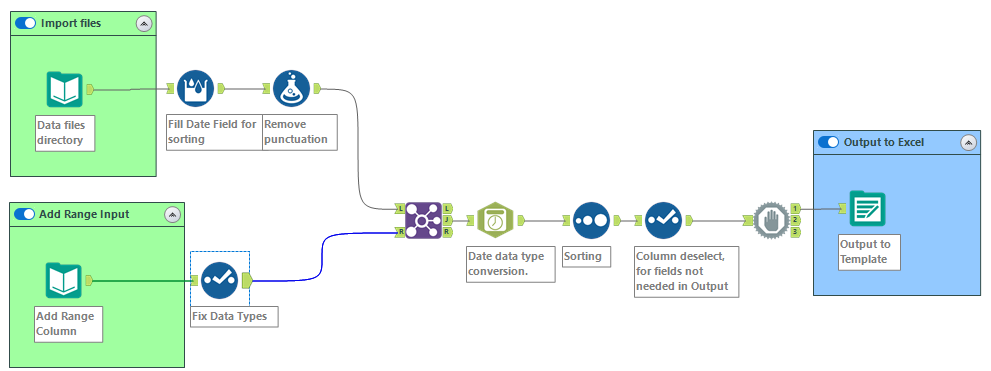
I am trying to output to an Excel template with set locations for the data to be output. My workflow creates the data, and then I add the proper column that includes the ranges on the correctly named sheet. The output starts pasting the first few sections correctly and then I run into an error that states
"Unable to open file for write: FileNameHere.xlsx: The process cannot access the file because it is being used by another process."
The output file is saving to a network drive and multiple people have tried running the workflow and have gotten the error intermittently, but more often than not.
I have the options set to Overwrite Sheet or Range, By Field Name. Skip Field Names is checked, Preserve Formatting is checked, Take File/Table Name from Field is checked, Change Entire File Path is selected, the proper column is selected in the Field Containing File Name or Part of File Path, and Keep Field in Output is unchecked. (see screenshot attached)
I am curious how the Output tool works in that it appears to start writing a secondary range before it closes the prior write command.
Is there an elegant solution to getting around this Output range issue? I have tried using a Block until Done before the Output Tool but that doesn't seem to affect the output.