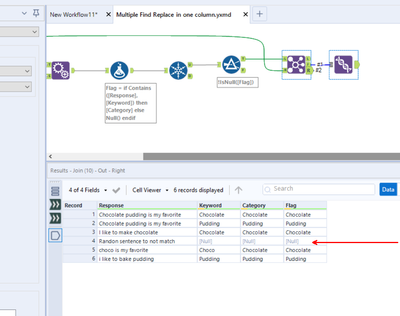
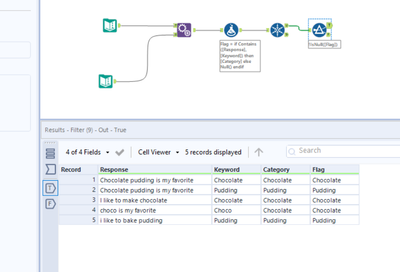
I'm looking to analyze a free response survey question with Find Replace.
Right now I have created a legend to categorize responses based on keywords in the response.
For example, If a response is "I like to make chocolate" or "choco is my favorite" then they'll be categorized as "chocolate". If a response says "I like to bake pudding" or "vanilla pudding is my favorite", they'll be categorized as "pudding".
Based on the key of:
| Keyword | Category |
| Chocolate | Chocolate |
| Choco | Chocolate |
| Pudding | Pudding |
I am using this key with the Find Replace tool. The category is appended into a new column. Currently, the output would look like this:
| Response | Category |
| I like to make chocolate | Chocolate |
| choco is my favorite | Chocolate |
| i like to bake pudding | Pudding |
| vanilla pudding is my favorite | Pudding |
My issue is that if a response has keyword for both the Chocolate and Pudding categories (for example, "I like to bake both chocolate and pudding"), I want them to be categorized into both the Chocolate and the Pudding categories. Using the Find Replace tool, right now they would only be categorized into the category that comes first, in this case "chocolate"
My current workaround is to run the Find Replace tool multiple times, once for each category, and have each category append a new column. However, this is quite infeasible/realistic, as I'll likely have upwards of 100 categories... and don't want to manage 100 Find Replace tools.
Is there a way to do this within the Find Replace tool? Is there another tool that can help?
Thank you so much!