Good Morning Community,
I have an automated workflow that takes snapshot of various pieces of sales data from Teradata for the current date, merges them all together, then writes them to Tableau Server and Teradata user DB table. The end result is a table that gives a snapshot of every customer account (current amounts outstanding, amounts past due, ect) for that day. Each day, this workflow generates roughly 50,000 records.
I recently had to make a slight tweak to the queries inside each of the Connect In-DB tools and now need a way to back fill the rest of the data (roughly 4 months worth). My initial thought was to create an iterative macro that would read a text table containing all the dates i need to run the query for, and replace where i reference CURRENT_DATE in the Connect In-DB queires with those dates on each iteration. The trouble is, i cannot seem to find the correct way to configure the tools to do so. I tried to convert all of the Connect In-DB tools to dynamic inputs and go that route, but since i am using some ranking functions, and utilizing TD_DAY_OF_WEEK in these queries, the workflow would error out.
Each of the In-DB connections circled below is a query that, among other things, filters the data by utilizing CURRENT_DATE and i essentially need to replace the CURRENT_DATE with one of the dates i need to back fill my table on each iteration. It is also worth noting that some of these SQL queries are fairly complex and utilize unions and call CURRENT_DATE multiple times in each query (luckily ever instance CURRENT_DATE is used is an instance that needs to be replaced with an iterative date) in order to capture transaction categories, ect.
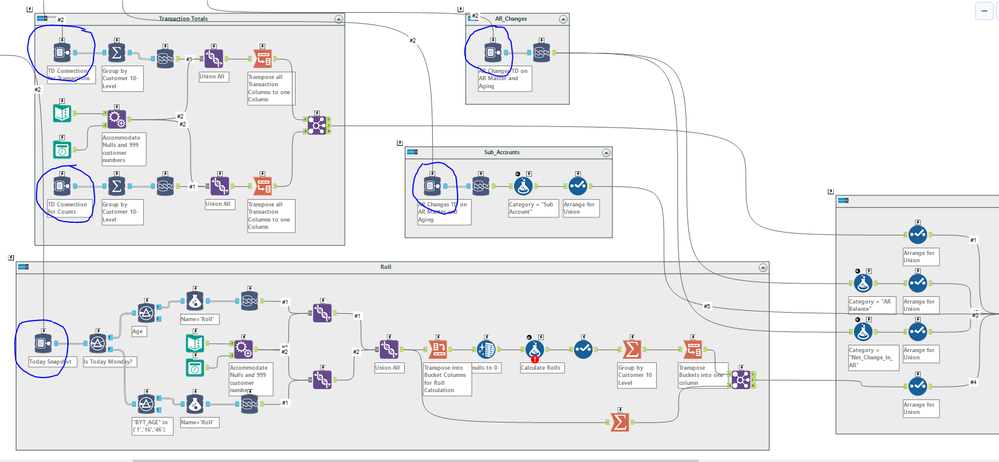
1) Is this even possible?
2) If so, any tips or wisdom on how to go about configuration?
Thanks,
Steve


