Hello my fellow Alteryx enthusiasts. This is my second post on the discussion board.
I have created a workflow that I am running as an application with the magic wand button. The application is really simple, with a File Browse Tool, an Action Tool and a Input Data Tool.
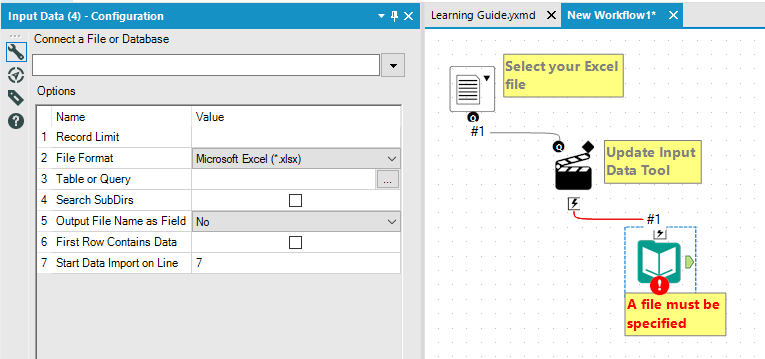
The data that I am inputting is from an Excel .xlsx workbook which contains data on the first sheet. However, the first six rows of the worksheet contain header information, row 2 in particular being one long merged row that goes from column A to column DM. Row seven actually contains individual column headings, so I have set the input tool to begin reading from seven. However, I get an error when trying to run the application stating that there is an XML parse failure and the file is corrupt.
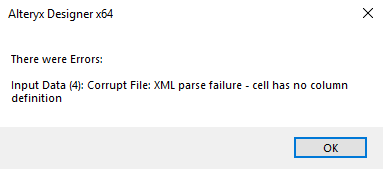
If I open the workbook, and select from column AT (which is the last column with actual data) all the way to column DM, and delete those columns, then save the workbook, the application will input the worksheet no problem. So I am wondering how to get Alteryx to input the worksheet without having to open it and delete a lot of columns on the far right of the worksheet.
It is as though Alteryx is detecting data in columns AU through DM, even though there is nothing in these columns, and I am wondering if that is because of my merged row 2, which stretches all the way from column A to column DM. I would think that telling the input tool to begin importing data at row 7 would skip past row 2 and its being merged, but this does not seem to be the case.
Any suggestions?


