Hi All,
I have a file with numerous columns and rows of data. I am trying to do the following:
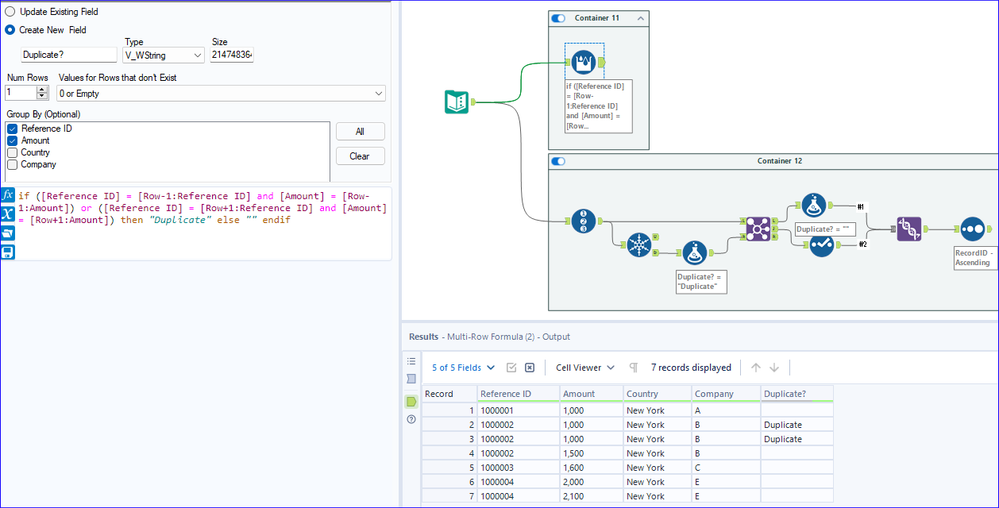
1. In two columns "Reference ID" and "Amount", i would like to identify duplicates (i.e. as long as the transaction has the same ID and same Amount, it is to be considered as a duplicate, the same ID but with different Amount will not be a duplicate)
------- I tried using Unique tool, and it is not ideal because the D Anchor does not return all rows that are duplicates, the first identified duplicate will enter the U Anchor)
2. After identifying the duplicates, i need a new column to indicate that it is a duplicate
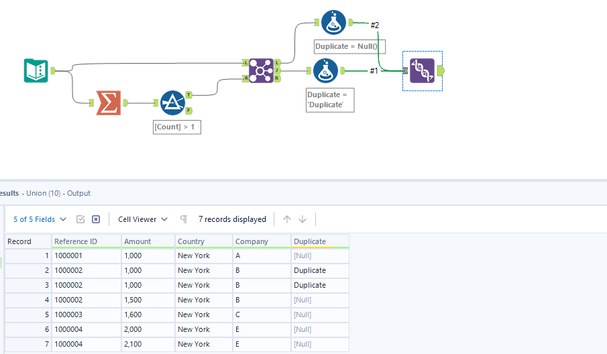
3. All the identified duplicates with the new column needs to be combined to the original source file with all the other transactions.
A simple illustration is as follows:
Main source
| Reference ID | Amount | Country | Company |
| 1000001 | 1,000 | New York | A |
| 1000002 | 1,000 | New York | B |
| 1000002 | 1,000 | New York | B |
| 1000002 | 1,500 | New York | B |
| 1000003 | 1,600 | New York | C |
| 1000004 | 2,000 | New York | E |
| 1000004 | 2,100 | New York | E |
Ideal output:
| Reference ID | Amount | Country | Company | Duplicate? |
| 1000001 | 1,000 | New York | A | [can be left blank] |
| 1000002 | 1,000 | New York | B | Duplicate |
| 1000002 | 1,000 | New York | B | Duplicate |
| 1000002 | 1,500 | New York | B | [can be left blank] |
| 1000003 | 1,600 | New York | C | [can be left blank] |
| 1000004 | 2,000 | New York | E | [can be left blank] |
| 1000004 | 2,100 | New York | E | [can be left blank] |
What I have tried:
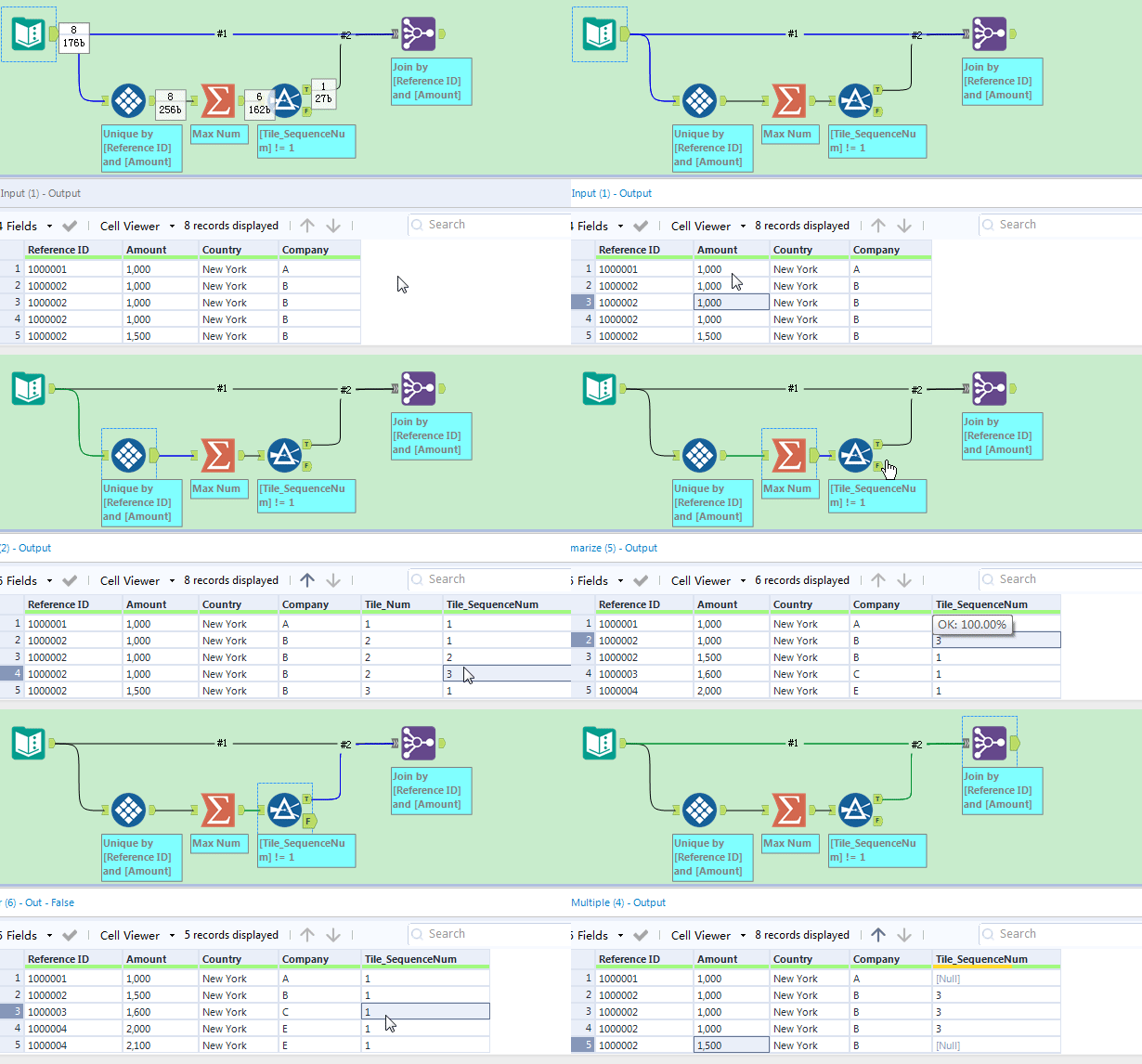
- I tried using the summarise tool, followed by filter tool (to identify duplicates), and then a join tool to combine with source file. And then i am stuck....
- I am unable to download the macro Only Unique because of certain restriction on my work desktop - so this solution will not work for me
Thanks for your help everyone!