Hi everyone,
I have a workflow that uses the Outlook 365 Input tool to fetch and download locally a single attachment file (a CSV delimited by "|" file in *.TXT format) from a daily report we receive via email. The Outlook 365 Input deletes the content of the attachment folder before downloading the new one, making it that only one folder with one file in it is present at all times.
This behavior results in that the file attached (that always has the same name) is located in a folder that will always change names since the naming by the Outlook 365 Input is done using date information. Ex. folder name: "Daily Active Em_2023-03-08T150828Z".
I'm trying to create another workflow that can read that file regardless of the name of the folder is located in and to do it dynamically for automation reasons.
I tried using the Directory and Dynamic Input tools to get the current name folder and read the file from it, but I always receive an error since is not able to locate the path since the file name is missing from it:
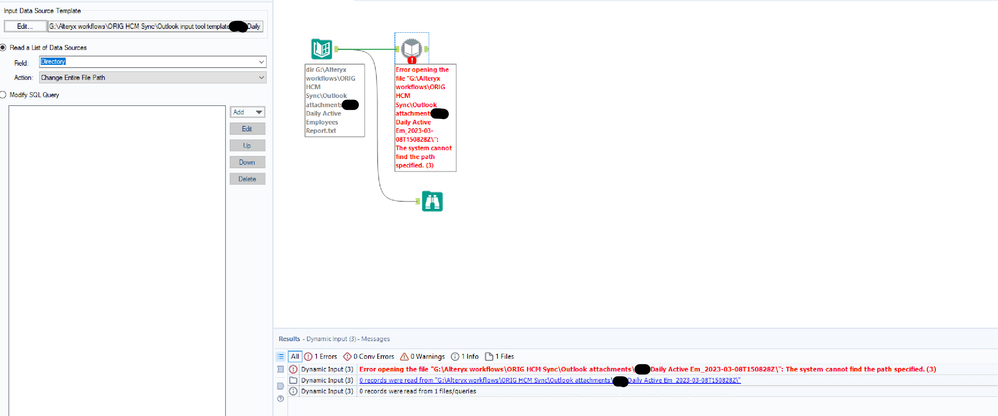
Can you please help figure this one out, maybe the answer is staring me in face but I just can't solve it.
Regards,
Francisco.


