Hai
How to generate a single blank row
Hi,
A different option would be to create a new field using a text input, union all data back together and remove the new field. This would mean the final output would still contain the new row.
If this solves your issue please mark the answer as correct, if not let me know! I've attached my workflow for you to download if needed.
Regards,
Jonathan
I've attached an example of how this can be achieved with the Reporting tools. I simply added an empty text object above the summary table before laying the tables out together.
Let me know if you have any questions.
Thank u soo much problem solved
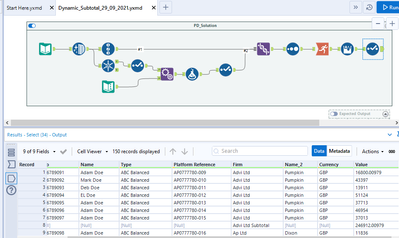
@Mithra_1810 Another approach, slightly different but provides dynamic subtotal and matches expected output as well.
Sorry this was meant for another query but I accidently posted here where we already have solution provided 🙂
@Jonathan-Sherman Thank you so much for the solution