Hi everyone,
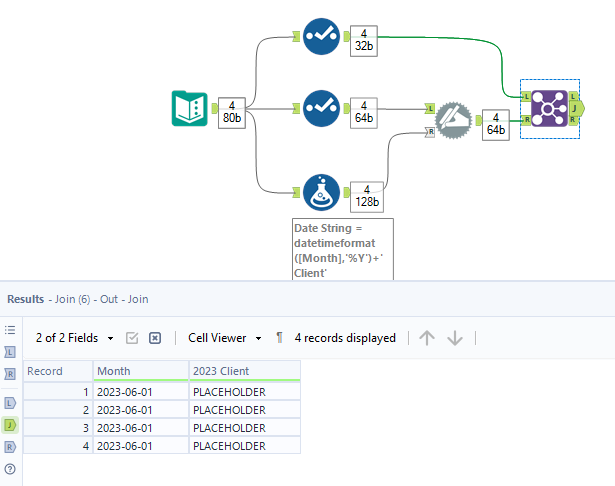
I would like to dynamically rename a field based on a year that is provided in another field called "Month".
Most field names in my case have a default placeholder names e.g. F37, F38 etc.
This is the input example
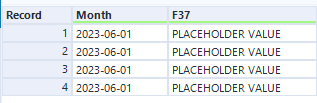
So the function in Dynamic Rename block should work in this way:
1. It takes a year from the date field it will be 'Month' field in this case
2. Converts the year to a string
3. Places the year string in a Field name in this format [YEAR] Client
'Client' part in the field name can he hard-coded into the formula.
Finally, this is how the output should look like:
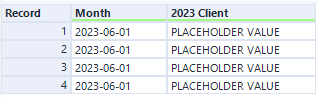
I was trying to use the dynamic rename functionality in Alteryx Designer but I am not able to find a solution to that problem.
Can anyone help
Kind regards