In case you missed the announcement: The Alteryx One Fall Release is here! Learn more about the new features and capabilities here
ACT NOW: The Alteryx team will be retiring support for Community account recovery and Community email-change requests Early 2026. Make sure to check your account preferences in my.alteryx.com to make sure you have filled out your security questions. Learn more here
Start Free Trial

Alteryx Designer Desktop Discussions

Find answers, ask questions, and share expertise about Alteryx Designer Desktop and Intelligence Suite.
SOLVED

How do I add roadmap as the background of my spatial analysis?

The_Fray
8 - Asteroid

Hello,


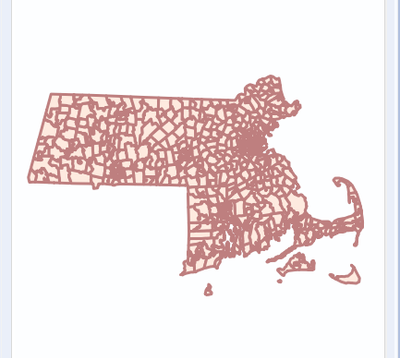
I am using some alteryx sample data on ZIP Codes. When I run the workflow and view the data, I see the following: 
 

The_Fray_0-1574383084740.png


This is correct, but I want to see the rest of the USA map. How do I get the rest of the USA / global map as the background rather than just a blank background.


Thanks,


Frazer

2 REPLIES 2
meeravijayan2011
8 - Asteroid

help.png


As shown in the above picture where you can choose a map type as a background. There is an option in Alteryx that to set this as reference base map always : 1, Open user setting - edit user setting and in dataset defaults you can change the reference base map. 


help 2.png

The_Fray
8 - Asteroid

Thank you!

Labels
Top Solution Authors