If anyone is able to help me figure out a solution to this issue, I would be eternally grateful.
TLDR: The Google Analytics Tool allows you to specify a date range to pull data from. One option is 'Year to Date'. If I were to run a workflow with this setting today, it would pull 1/1/2020 to 5/10/2020. However, if I were to run it, for example, on 5/20/2020, the end date in the tool would not update. It would still pull from 1/1/2020 to 5/10/2020.
The Situation: I am trying to pull a large amount of data from Google Analytics on a daily basis, with each run of the workflow pulling from 1/1/2020 to whatever the day is that I run it on.
The Circumstances: The Google Analytics Tool allows you to specify a range of dates you would like to pull data for. One such option is 'Year to Date', exactly what I am looking for. Selecting this option, the interface updates to show the range of 1/1/2020 to the current date:
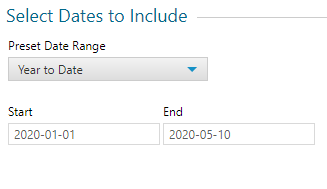
Ideally, whenever I run this workflow in the future, the end date would update to whatever date I run it on. Unfortunately . . . . . . .
The Problem: It doesn't. Regardless of what option I select from the 'Preset Date Range' dropdown menu, this end date does not update when I rerun the flow days after I set it up. For example, if I were to run the flow on 5/20/2020, the range would still be 1/1/2020 to 5/10/2020, instead of 1/1/2020 to 5/19/2020.
Why This is Important: My workflow is utilizing 15 - 20 of these Google Analytics tools, and will be run daily once it is finished. I would give anything to avoid having to manually reset the date ranges for each tool, every single day, for every single run of the workflow.
Other People's Thoughts: With this issue having plagued my mind for several weeks now, I've attempted to look for solutions already out there. Unfortunately, I have found very little on this issue. Some of the articles I have found are here, here, and here. Having read these articles and discussions, I am pessimistic about my chances in finding a solution to this issue as it would appear the tool simply does not allow you to pass an updated date in for the 'end' date.
My Current Workflow: Having tried numerous methods, the current one I am following comes from this discussion. I've set up two Date tools to select the range I would like to see, and I've connected them to Action tools to update the 'start' and 'end' dates in my Google Analytics Tools:
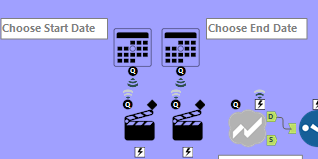
The Action tool to update the 'start' date is configured as follows (blacked out info is sensitive):
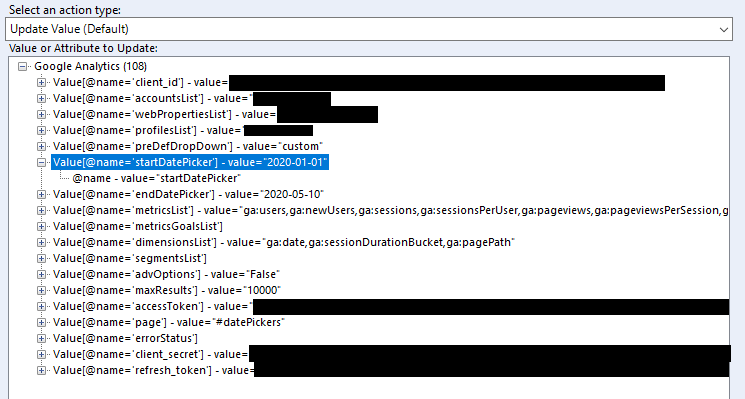
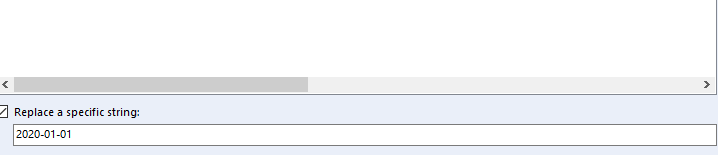
The Action tool to update the 'end' date is configured as follows (blacked out info is sensitive):
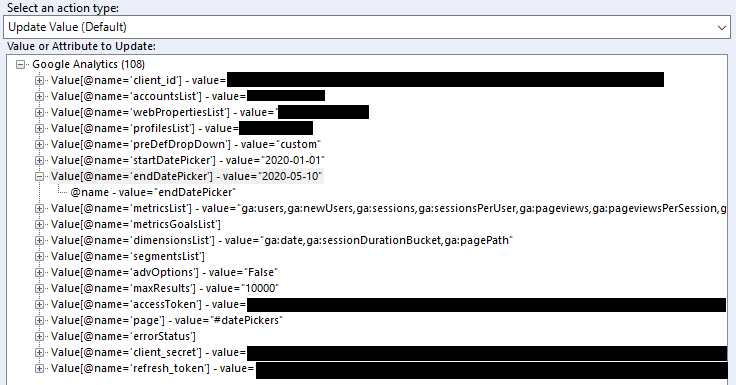
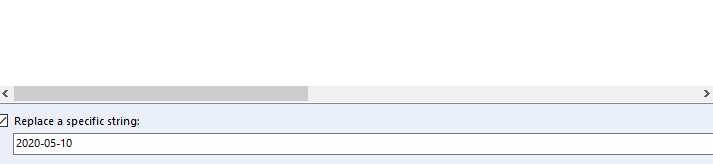
Having set this flow up, run it countless times, triple-checked outputs, and adjusted certain components, I have yet to see an output with the end date reflecting the current date.
Conclusion: I'm not sure if there is a solution to this problem, but if anyone has any ideas, I would love to hear them. Overcoming this issue is important for me to continue working on this project, and to keep my sanity intact. Thank you for reading and I cannot emphasize how excited I am to hear other people's thoughts!


