In case you missed the announcement: The Alteryx One Fall Release is here! Learn more about the new features and capabilities here
ACT NOW: The Alteryx team will be retiring support for Community account recovery and Community email-change requests after December 31, 2025. Set up your security questions now so you can recover your account anytime, just log out and back in to get started. Learn more here
Start Free Trial

Alteryx Designer Desktop Discussions

Find answers, ask questions, and share expertise about Alteryx Designer Desktop and Intelligence Suite.
SOLVED

[EXCEL] Custom Mapping Output not being available to be chosen

Joker_Hazard
11 - Bolide

Greetings friends.

I am trying to append some data to a custom range in Excel. However, the button for some reason is not available.
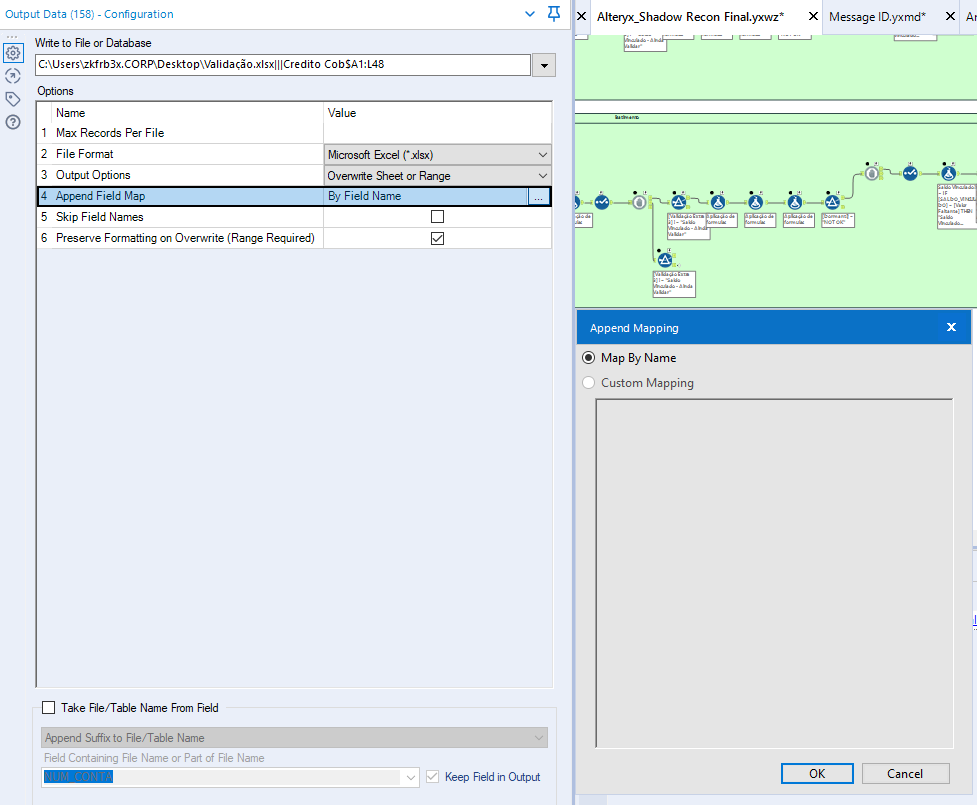
Joker_Hazard_0-1651010445025.png


Some keypoints about my workflow:

1. I have 5 outputs for the same Excel file. (Cannot change that)  I'm using block until done tool.

2. Its an APP, not the usual workflow.

3. I cannot chose OverWrite File due to the other sheets.

Unfortunately I can't provide Alteryx Workflow due to compliance rules. I will try to provide as many screenshots as possible to help with the troubleshooting.

Thank you very much

1 REPLY 1
Joker_Hazard
11 - Bolide

I've just figure it out myself. Really naive mistake.

I was with the file open. Once I closed it, the button was available :)

I hope to help others with this post hehe

Joker_Hazard_0-1651010791549.png


Labels
Top Solution Authors