Hello All,
I need help with two parts of a problem that I am trying to solve. I have added a file with two tabs - the first contains the raw data and the second contains the expected output
Part 1
I have a table that lists various deals and their projected sales over several months. I want to perform further calculations on only those columns that are from the current month onwards. For example, if I'm running the workflow on 7/27/2023, I want Alteryx to select all columns from Jul-23 onwards, and exclude anything before that.
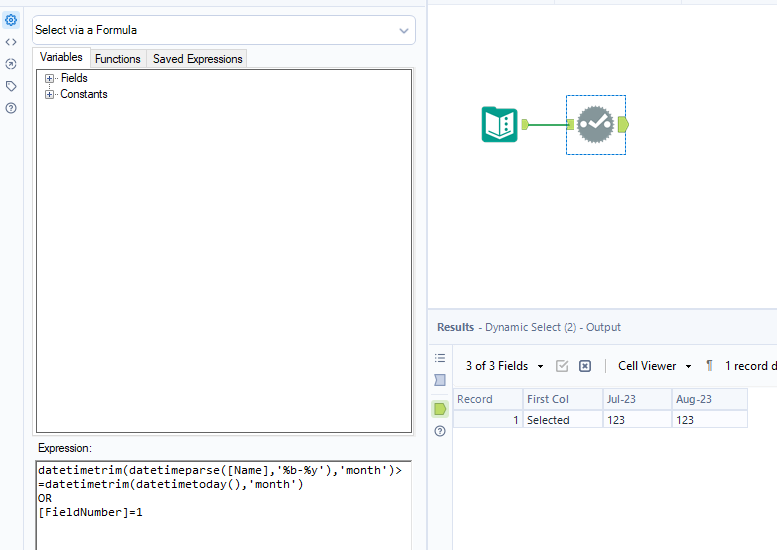
I tried performing a dynamic select with the formula listed below, but it's not working. Could you please help me develop an expression to dynamically select the first column + all columns from the current month onwards?
Expression that I tried in the Dynamic Select Tool:
[FieldNumber] >= DateTimeTrim(DateTimeToday(),'firstofmonth')
Part2
I then want to rename those column headers to consecutive numbers from 1 onwards, so that I can set formulas to add certain columns within the data. I tried researching old posts but couldn't figure out how to easily do this.
Any help would be greatly appreciated!