I would like to create a dropdown list where the column names can be renamed. I want to give the user the option of picking the column name to rename from a dropdown box instead manually renaming it or indexing. Any ideas on what is the best route?
I found work around with this macro.
Hi mdata,
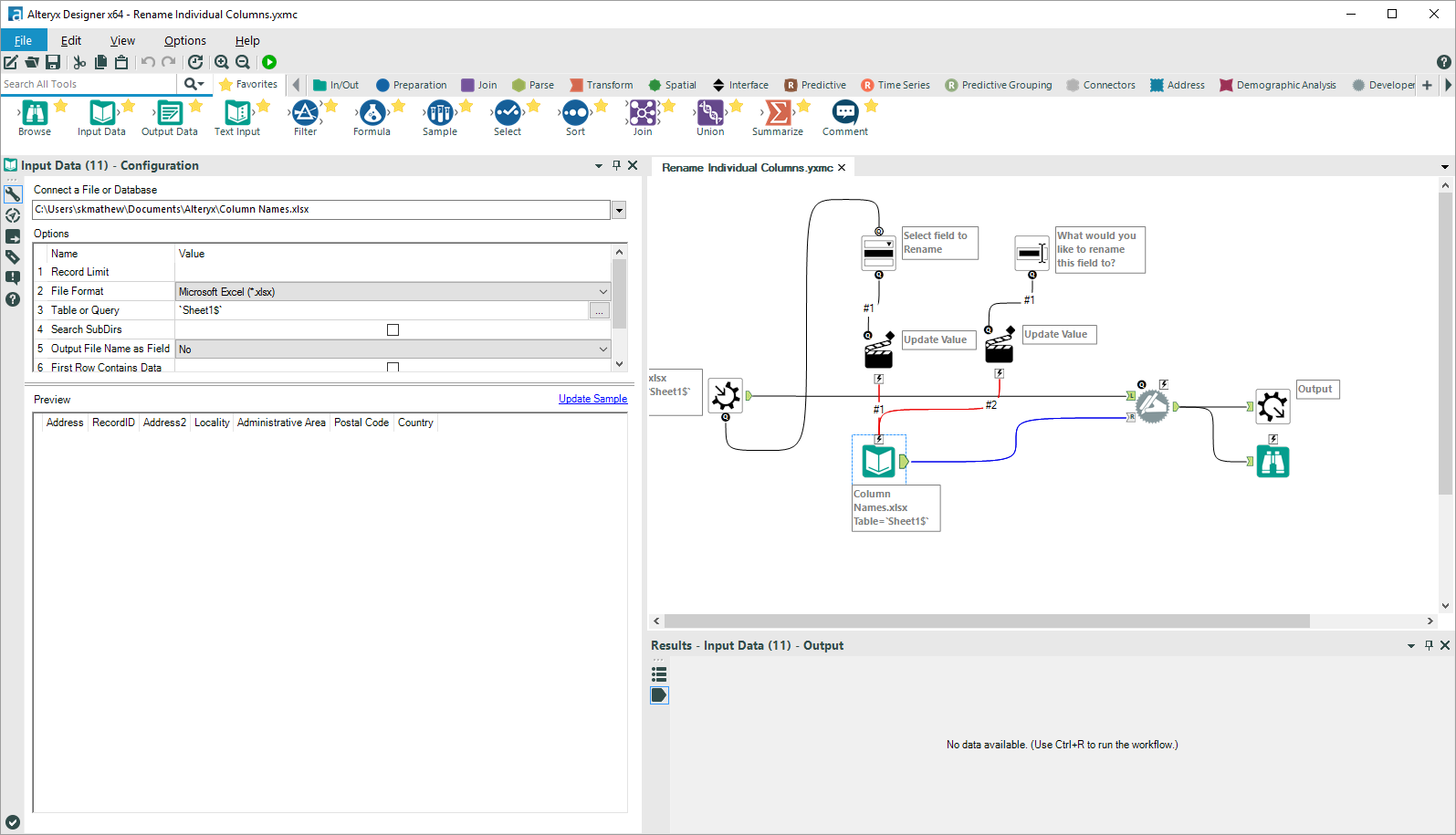
You would start by populating the dropdown with the fieldlist. The important thing there is to connect the q from the Macro Input, not the arrow connector.
Then you just have to set up a text input so that you have the old field name and new field name so that you can run it into the dynamic rename.
I've attached the Macro if that method doesn't make sense.
Kane
I have 2 file names here Named Book3 where macro input in coming from. The columns names in Book3 are incorrect but I want the user to pick and choose which columns names from file Column Names. I would like multiple dropdown boxes with all the column names from the Book3 and all the Columns Names from Columns Names file.
What I would like is all the column names of a file input in the dropdown box and be able to rename to any of the columns to right input file or text input. So if I have 8 coulmn names on the file coming in then there shuld be 8 drop down boxes with a matching right dropdown boxes. Left dropdown boxes would have all the possible column names with the input file file and the right dropdown boxes will have all the column rename from right file input or text input.
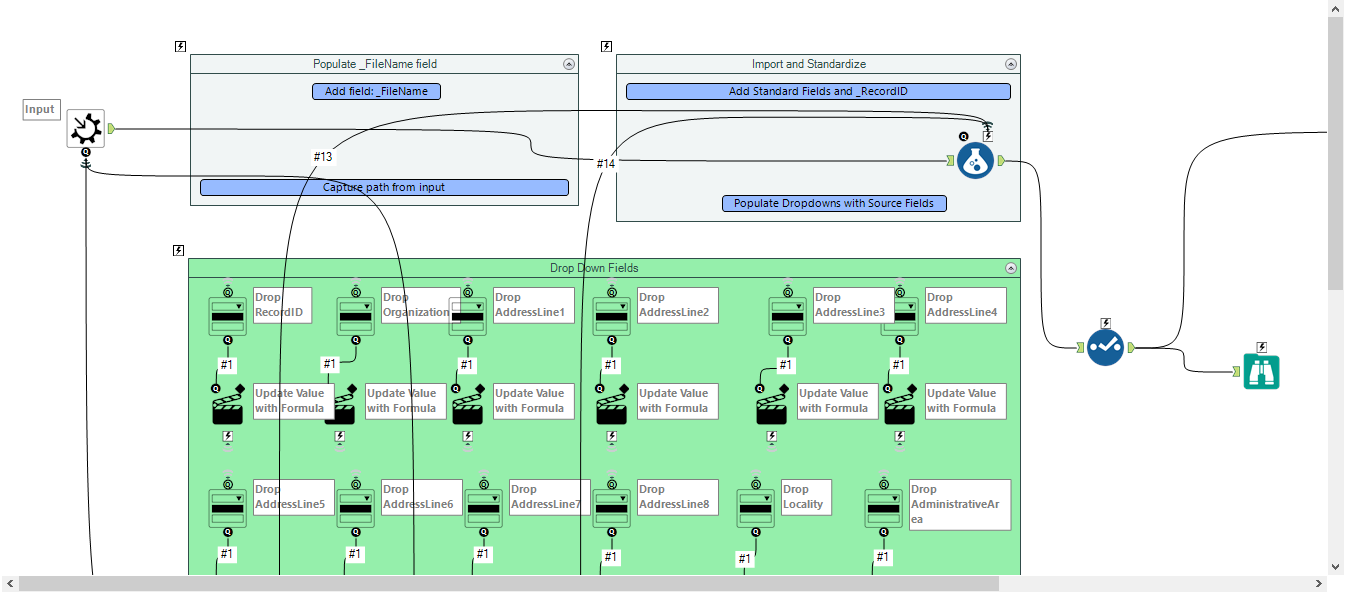
So, you won't be able to make the number of drop-downs be dynamic, however, you can replicate out the tools in that macro to make as many options as you would like.
Change the second input tool to a dropdown instead of a text input. Then connect a text input tool that has each column named with one of the options that you want the user to be able to choose from. Then replicate this and have each set update the next row in the text input tool that feeds into the dynamic input.
I've left the connectors on this screenshot, but you can replicate out those containers and then make the connections wireless.
I configured it just like you have but it does not give an options to update the column names. I know I can map with a macro but I may have 5 columns coming in and 15 columns to choose from to rename it to. Thanks! Attached is the macro.
So what you would have to do is make a drop down for each possible new name. The question would indicate the name they are changing it to and the action would update the old name field. So if you have fifteen options you would need fifteen drop downs.