In case you missed the announcement: The Alteryx One Fall Release is here! Learn more about the new features and capabilities here
Start Free Trial

Alteryx Designer Desktop Discussions

Find answers, ask questions, and share expertise about Alteryx Designer Desktop and Intelligence Suite.

Download tool not connecting to FTP

FJ_Shafeek
7 - Meteor

Hello all, this feels like a basic question but I can't seem to figure out for the life of me.


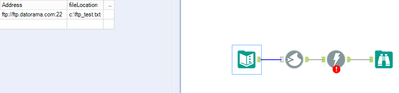
Basically just trying to upload a simple file to Datorama FTP, but it can't seem to connect.
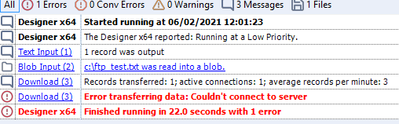
 

FJ_Shafeek_0-1622660769624.png


Here is my input text file:


FJ_Shafeek_1-1622660839771.png


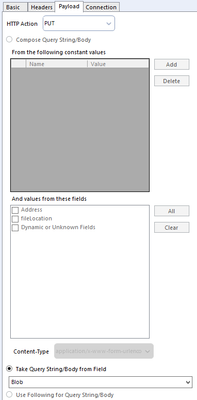
I take the file and turn it into a blob, then this is my download tool configuration:
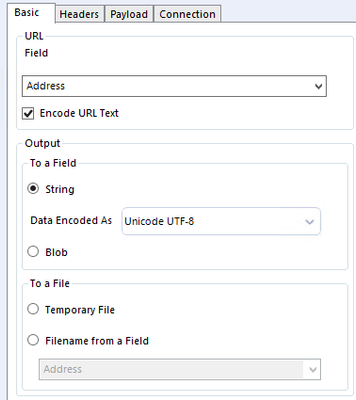
 

FJ_Shafeek_2-1622660868303.png


FJ_Shafeek_3-1622660902280.png


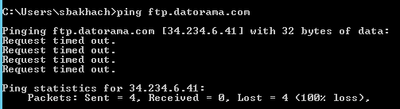
I do have a username/password but it doesn't seem to even get to the point where it tries to verify my credentials. When I open CMD and ping the FTP, this is what I get:
 

FJ_Shafeek_4-1622660998478.png

so that doesn't seem to work, but then this option does:

FJ_Shafeek_5-1622661028075.png


what gives?


3 REPLIES 3
Thableaus
17 - Castor
17 - Castor

Hi @FJ_Shafeek 


The "Address" field doesn't have any extension. I guess if you're trying to upload a file, you need to specify an extension in the URL field, like "whatever.xlsx"


Cheers,

Thableaus
17 - Castor
17 - Castor

Try to concatenate the ftp URL with the filename you're grabbing from the Blob Input.


Something like that should work.


Cheers,

mkosmicki1
8 - Asteroid

I am also trying to upload files to Datorama.


I was able to connect to the server using "ftp.datorama.com:2222" as the URL. 

However, I am timing out when trying to upload the file. I have the timeout set to 0 seconds.


I was hoping this would work because e-mailing the file out of Alteryx is also failing.


Did you find a solution that worked?


-Michelle

Labels
Top Solution Authors