Hi all,
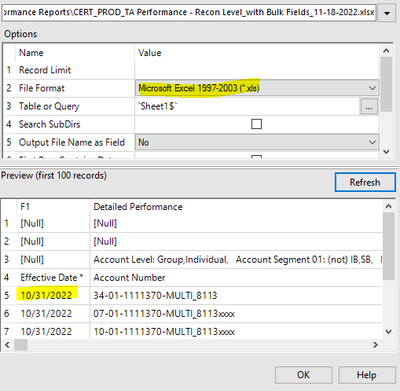
I am currently building a workflow and when I try importing an .xlsx spreadsheet, all 6 of my date columns show up as '1900-01-09' values. As a workaround, I changed the File Format of the Dynamic Input to .xls instead. Is there a way we can import the correct dates through a .xlsx input instead? With an .xls input, I do not have the option of specifying which row the data begins so I have to use the Sample and Dynamic Rename tools to set the correct row as the headers. I also have to get rid of the commas of my numeric amounts before changing the data type from String to Double, otherwise the numbers after the comma get cut off. We currently have a SFTP that lands our spreadsheets in the correct folders, so I am thinking the encryption is causing the issues. Any input would be appreciated.



Another question I had was: is there a way we can use one DateTime tool for multiple columns? I have to use 6 separate tools for my 6 date columns so I was wondering if there was a more efficient way of converting the string values to date.

Thank you!


