ACT NOW: The Alteryx team will be retiring support for Community account recovery and Community email-change requests Early 2026. Make sure to check your account preferences in my.alteryx.com to make sure you have filled out your security questions. Learn more here
Start Free Trial

Alteryx Designer Desktop Discussions

Find answers, ask questions, and share expertise about Alteryx Designer Desktop and Intelligence Suite.

Conversion of Date & Time format

RanjanKT
8 - Asteroid

Hi Team,


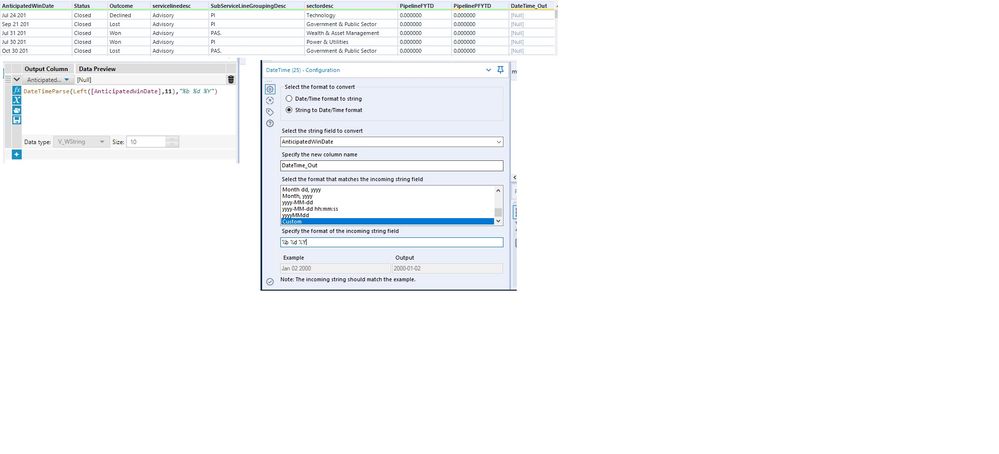
Can some one help me to convert the Below Date(MMDDYYYY HHMM) field to (YYYY-MM-DD) format.


I have tried using the  DateTimeParse([AnticipatedWinDate], "%Y-%m-%d") formula, But some how i am getting the error saying.

"ConvError: Formula (14): DATETIMEPARSE: Cannot convert "Oct 30 201" to a date/time with format "%YY-%m-%d": Expected a number for year: 'Oct 30 201'":


The format is as below.

Untitled.jpg

10 REPLIES 10
razoux1970
6 - Meteoroid

Your string field (i.e. CREATE_DATE1) might have hidden characters. Did you try adding the Data Cleansing tool into your workflow? I had the same issue and it worked for me

Labels
Top Solution Authors