Hello -
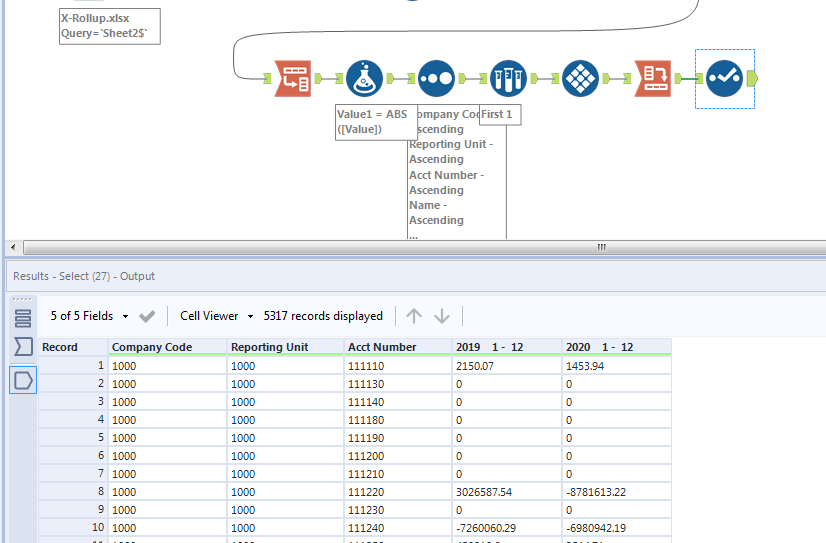
I'm having issues figuring out how to complete my workflow. See attached workflow and source data files as an example.
My workflow is currently taking a trial balance exported from our ERP system and we are reformatting and exporting the data into separate tabs within the output file based on:
- Reporting unit company code - X-Rollup file, Sheet 2 Col. B (Col. A within rollup file correlates to Co. A within Test TB file sheet 1 tab)
- Company code - Test TB excel file, sheet 1 Col. A
The output file is currently exporting as expected. The issue that I am having is that our ERP system is generating the trial balance (Test TB sheet 1 is the original unedited source data) with a separate line for balances as of 2019 and 2020 - I'm trying to update my workflow so that a single CoCode Acct# balance would only take up a single line and have a balance in the 2019 and 2020 column. For example, row 2 shows the 2019 balance for Co Code 1000, Acct # 111110 of $2,150.07 and row 3 shows the 2020 balance for Co Code 1000, Acct # 111110 of $1,453.94 - I'd like to essentially combine these rows via a vlookup type function so that the Co Code 1000, Acct # 111110 would report both the 2019 and 2020 balance in a single row.